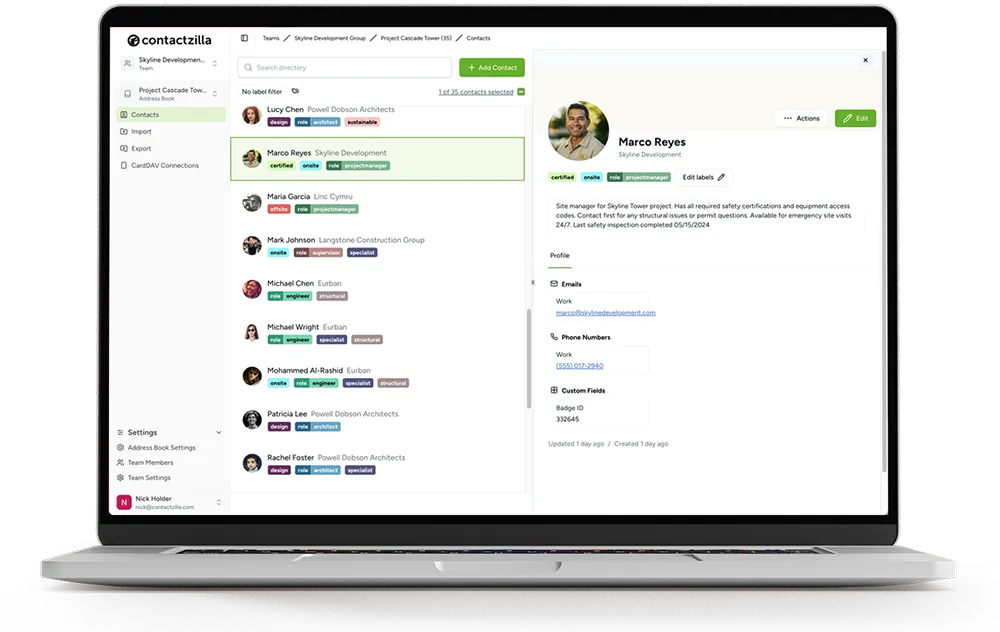
Legal Contact Management for Law Firms: Firm Directory vs Legal CRM

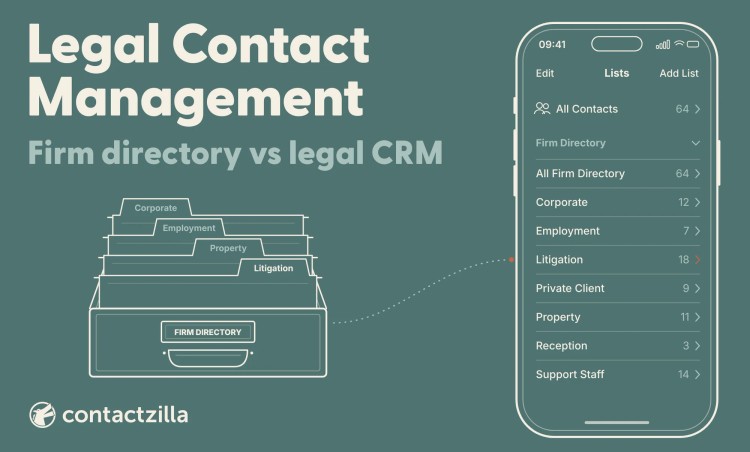
Most law firms keep contacts in two places that do different jobs, and only one of them usually reaches the phone in a lawyer's pocket.
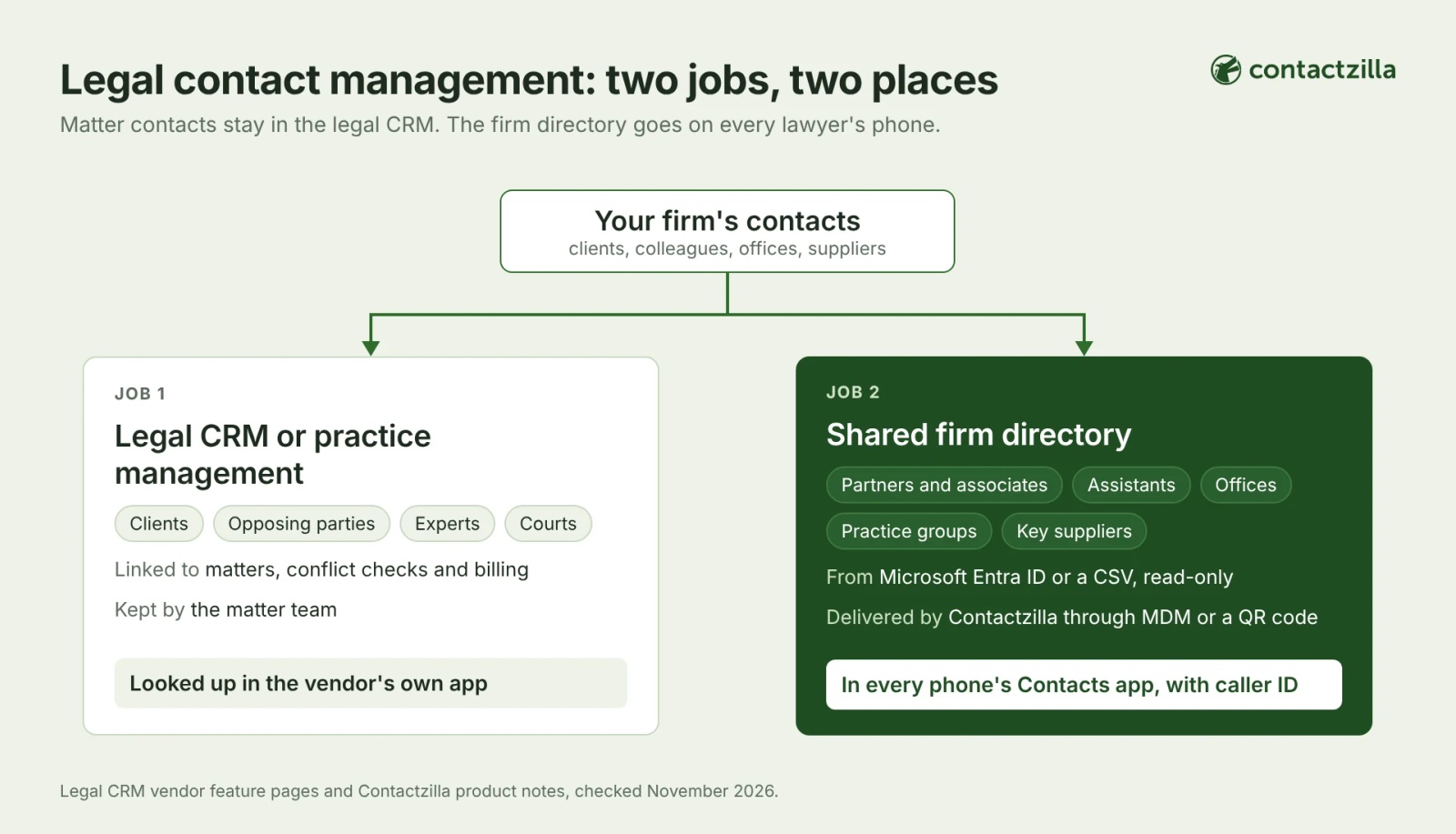
Short answer: Legal contact management is how a law firm keeps track of the people it deals with: clients, opposing parties, experts and courts, linked to matters and conflict checks in a legal CRM or practice management system, plus a shared firm directory of colleagues, offices and key numbers synced to every lawyer's phone.
Practice management apps are built around matters, so they aren't designed to put a firm-wide directory into each phone's own Contacts app, which is where caller ID looks.
Contactzilla imports staff from Microsoft Entra ID or a CSV file and syncs them read-only to iPhone and Android Contacts through Intune, another MDM or a QR code.
What is legal contact management software, and what is a shared firm directory?
Legal contact management software is the contacts part of a legal CRM, practice management or case management system, also sold as law firm or law office contact management software, or contact management software for lawyers. Well-known examples include Clio, MyCase, Smokeball and PracticePanther, and legal CRMs such as Lawmatics. They hold the people a firm deals with on its matters, such as clients, opposing parties, experts, insurers and court officials. The vendor pages that rank for the term describe much the same features: each contact linked to its matters and related contacts, categories, tags and custom fields, a communication history of calls and emails, conflict checks, billing details, documents, client intake and a client portal.
Shared firm directory: the list everyone in the firm needs on their phone, such as partners, associates, assistants, offices, practice groups and a short set of firm-wide numbers. It belongs in the phone's own Contacts app, so a call from anyone on it shows a name.
Client contact details are confidential, so whichever system holds them, check where the data is stored and who can see it. The FAQ at the end covers where Contactzilla's data is held.
Which contacts belong in a firm directory, and which in legal contact management software?
Legal CRM vendors rightly advise keeping client and matter contacts in one place instead of spreadsheets and inboxes. But the people a lawyer rings most often, such as an assistant, another office or the partner covering a hearing, aren't linked to any one case, so they don't belong in the CRM. The split follows one question: does everyone in the firm need this contact on their phone, or only the team working on one case?
| Contact type | Best home | Kept up to date by | On the phone |
|---|---|---|---|
| Partners, associates and support staff | Firm directory | IT, from Microsoft Entra ID or HR's list | In the Contacts app, read-only, with caller ID |
| Offices, reception and switchboard lines | Firm directory | Whoever owns the source list | In the Contacts app, read-only |
| Practice groups and departments | Firm directory, as labels | Whoever owns the source list | Each group as its own list in the Contacts app |
| Firm-wide suppliers, such as couriers, IT support and building security | Firm directory, as its own address book | Office or facilities manager | In the Contacts app, read-only |
| Clients, opposing parties, experts and courts | Legal contact management software | The matter team | In the vendor's own app |
| Personal contacts | Each person's own account | The person | In the phone's own account, such as iCloud |
Conflict checks need matters and parties, which a directory doesn't hold, so they stay in the practice management system. A short supplier list works well as its own address book: our vendor list template shows the columns worth keeping.
How to choose legal contact management software
Most firms end up with both kinds of tool, so choose each for its own job. These are the points worth checking side by side.
| What to check | Legal CRM or practice management system | Shared firm directory |
|---|---|---|
| Main job | Client, matter and related contacts for the team on each case | Colleagues, offices and firm-wide numbers for everyone |
| Matter linking and conflict checks | The core of it | Not included |
| Communication history, billing and documents | Usually included | Not included |
| Where lawyers see it on a phone | In the vendor's own mobile app | In the phone's own Contacts app, so calls show a name |
| Who keeps it up to date | The matter team | IT, from Microsoft Entra ID or a CSV file, on a schedule |
| Import and duplicates | Check how it imports existing contacts and merges duplicates | Check the same before the list reaches phones |
| Security and confidentiality | Where client data is stored, access controls and certifications | The same questions, plus read-only access on the phone |
| Examples | Clio, MyCase, Smokeball, PracticePanther, Lawmatics | Contactzilla |
Does legal contact management software show colleagues on a lawyer's phone?
Usually not in the phone's own Contacts app. Practice management vendors offer their own mobile apps for looking contacts up, and those contacts live inside the app. Phones match an incoming call against the Contacts app, so a colleague held only inside a practice management app usually arrives as a bare number.
Microsoft 365 doesn't fill the gap either. Colleagues in the Global Address List stay a search-only lookup inside Outlook, so they don't show on an incoming call, as our guide to syncing Outlook contacts with iPhone explains.
Tip 💡 Want Microsoft 365 colleagues in the Contacts app? Our guide to syncing the Global Address List to iPhone contacts walks through it.
Can client contacts from a legal CRM reach lawyers' iPhones through Contactzilla?
Yes. Most legal CRMs and practice management systems can export contacts as a CSV file, and Contactzilla imports that file into its own shared address book, kept apart from the firm directory. Contactzilla also has importers for CRMs such as Salesforce, HubSpot and Odoo, with more on the way.
Label the contacts by practice group or client team, and a Selective Read Only connection sends each group of phones only the contacts it needs. The CSV import article covers the column mapping.
What law firm IT teams check before a firm directory goes on phones
The law firm conversations we have are nearly always led by IT, not by lawyers, and the questions tend to be the same few:
- How to get the Microsoft Entra ID directory onto every lawyer's phone, and what it costs for the number of devices.
- Why Outlook for iOS is filling iPhones with duplicate contacts, which we cover below.
- Where the data is held and what the firm's security team will need for its review.
- Whether client contacts from the CRM can go on the phone too.
How to put a law firm's shared directory on every attorney's iPhone and Android phone
In Contactzilla the firm directory is one address book, delivered to each phone's own Contacts app as a separate read-only account. The exact clicks are in the help articles linked in each step.
1) Import from the source: connect Microsoft Entra ID, or upload a CSV file, into one address book. The Entra ID import article has the steps, and the import runs on a schedule, so joiners and changes follow on their own.
2) Label practice groups and offices: map a department or office field to labels. Each label shows as its own list in the Contacts app, so a lawyer can open the litigation team or another office on its own.
3) Make the connection read-only: choose Full Read Only so staff can't edit or delete the firm directory, or Selective Read Only to send only chosen labels to a group of phones. Minimize data fields keeps fields you hide, such as partners' personal mobiles, off the phones.
4) Deliver it: on firm-managed phones, push it through your MDM, as in our Intune guide. On phones without MDM, staff scan a QR code, as the QR code article shows.
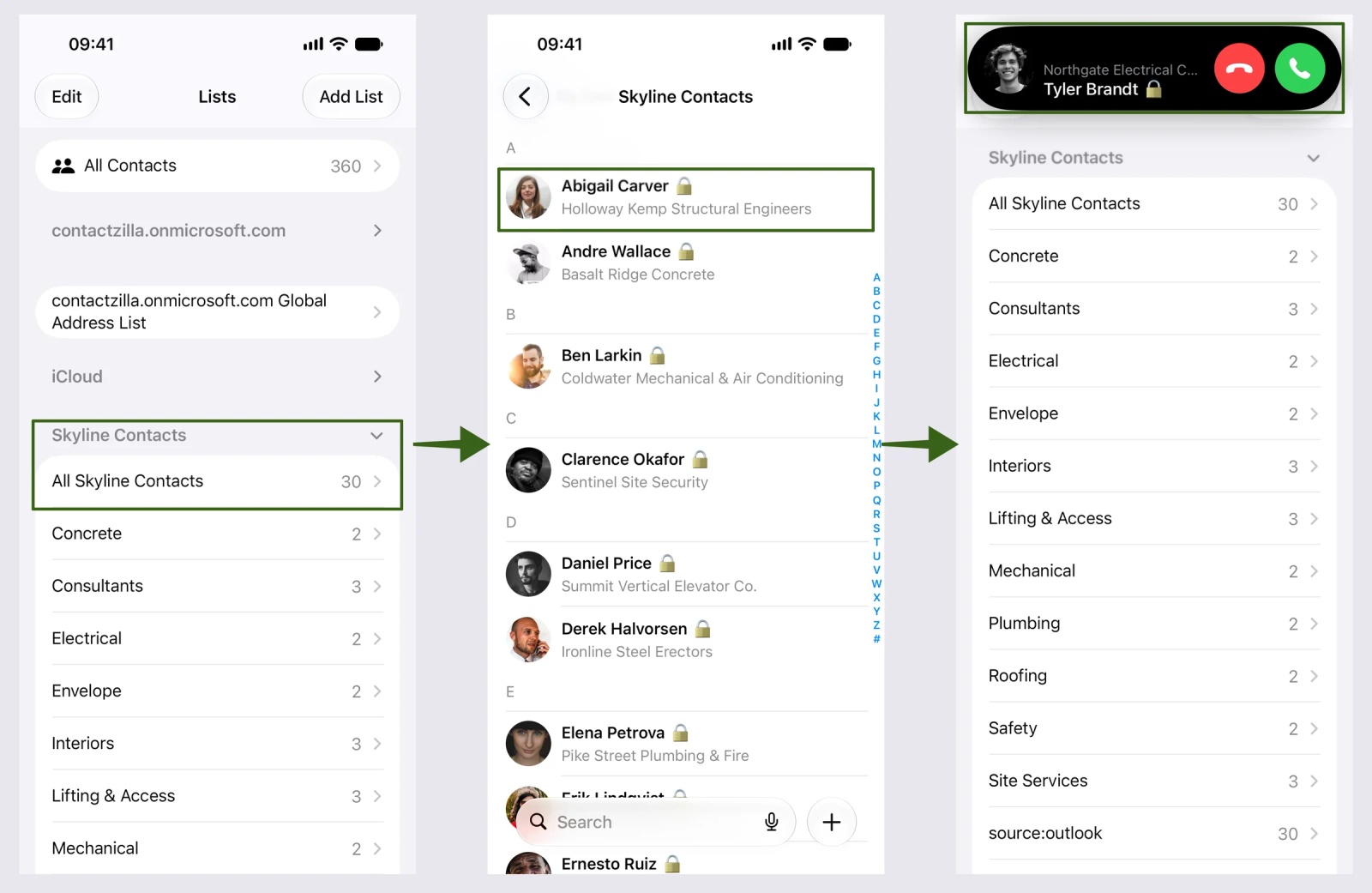
Caller ID works most reliably when numbers are stored with the country code: our caller ID number format guide explains why.
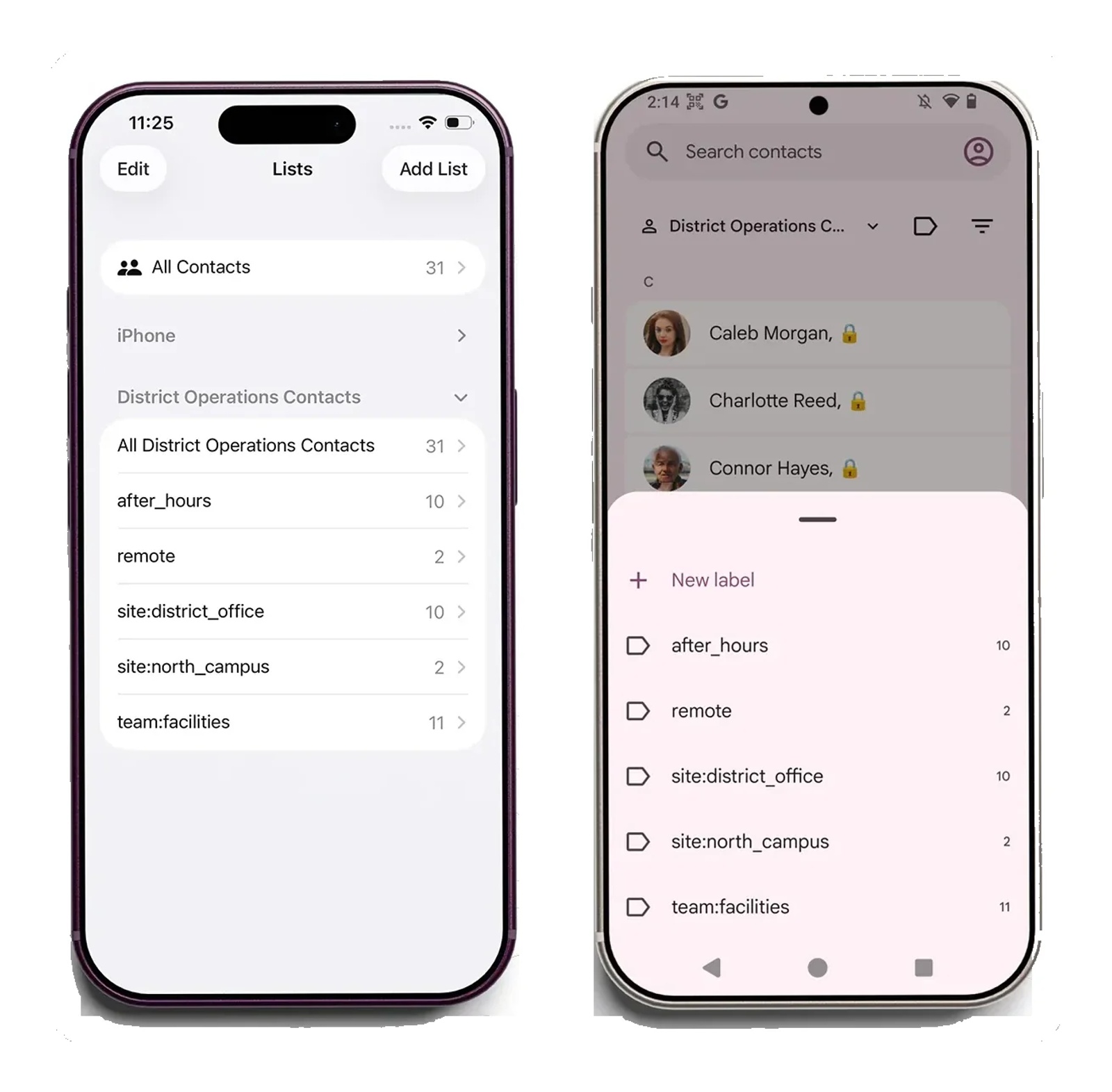
Tip 💡 Prefer to watch? Our video Sync Microsoft Global Address List to iPhone & Android shows the Microsoft Entra ID import and the delivery to phones.
Why do lawyers' iPhones show duplicate contacts from Outlook for iOS?
One law firm's IT team asked us exactly this. Outlook for iOS was copying Outlook contacts into each lawyer's iCloud contacts, and duplicates built up across several iOS devices. A Contactzilla directory is its own read-only account, so it adds no copies of its own, and firms that deploy it generally switch Outlook's contact saving off. Our deduplication guide covers cleaning up the source lists before they reach phones.
Tip 💡 On Intune-managed phones, Outlook's contact saving is an app protection setting. Read what Sync policy managed app data with native apps means for Outlook contacts before you change it, because blocking it also switches off Outlook's calendar sync and add-ins.
What happens to the firm directory on lawyers' phones when someone leaves?
With the Entra ID import's delete handling switched on, a user whose account is disabled in Microsoft Entra ID is removed from the firm directory at the next import, and from every phone at its next sync. Nobody has to edit the phones. A departing partner's mobile number stops showing as a colleague, and a lateral hire appears at the next import after their account is created, as long as it matches the import's filters.
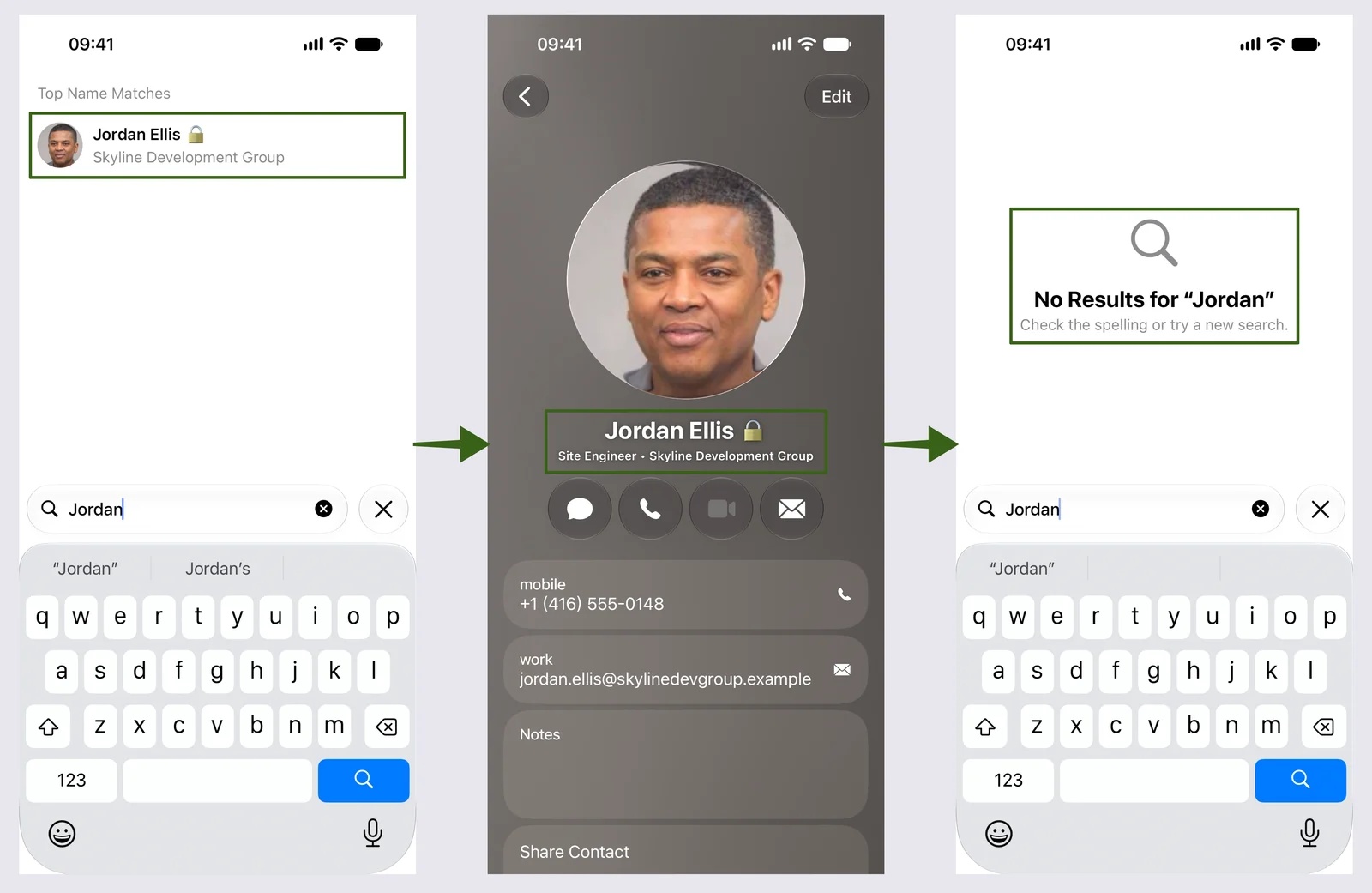
This removes the directory entry only. What happens to the client contacts a departing lawyer worked with is a matter for the firm and its practice management system, and our IT offboarding checklist covers the rest of the leaver steps on the IT side.
Next steps
- Import the firm directory: Import contacts from Microsoft Entra ID to Contactzilla, or watch Sync Microsoft Global Address List to iPhone & Android.
- Deliver it to phones: our Intune guide, or How to Put Contactzilla Contacts on Phones Without MDM by Scanning a QR Code.
- Check costs on our pricing page.
- Still deciding between a CRM and a contact directory? Read CRM vs contact management.
Frequently Asked Questions
Is Contactzilla legal contact management software or a legal CRM?
It's neither. Contactzilla is a shared contact directory that reaches the phone's Contacts app. It doesn't link contacts to matters, run conflict checks, take client intake or keep matter records. It runs beside a practice management system, which keeps the client and matter contacts.
Is Contactzilla secure enough for a law firm's contacts?
Contactzilla runs an EU platform hosted in Ireland and a separate US region, as our US hosted region post explains. Our trust centre lists SOC 2, GDPR and UK GDPR compliance, which helps when a law firm's security team reviews a new supplier.
Does a law firm need Intune to put the directory on phones?
No. Intune is one option. Other MDMs such as Jamf Pro, Mosyle and Workspace ONE can deliver the same address book, and phones without MDM can use a QR code. Intune also lets you block Outlook from saving contacts, if duplicates are a problem.
Can a law firm send each practice group or office only its own contacts?
Yes. Label contacts by practice group or office, then use a Selective Read Only connection to send only those labels to that group's phones, while everyone else keeps the full firm directory. This limits what reaches the phones. It isn't an information barrier, so keep ethical walls in the systems built for them.
What is the best contact management software for law firms?
It depends on the job. For client and matter contacts, firms usually choose a practice management system or legal CRM such as Clio, MyCase, Smokeball, PracticePanther or Lawmatics, judged on matter linking, conflict checks and integrations. For a firm-wide directory on every lawyer's phone, a shared directory such as Contactzilla runs beside it.
What features should legal contact management software have?
Look for contacts linked to matters and related contacts, conflict checks, custom fields and tags, a communication history, email and calendar integration, import with duplicate handling, access controls and mobile access. Check what mobile access means: a vendor's own app, or the phone's own Contacts app. Only the second shows a name on an incoming call.