CRM vs Contact Management: What's the Difference, and Do You Need Both?

Your contacts live in a dozen places, and every software vendor you ask says you need a CRM. Sometimes they're right, and sometimes a simpler contact management system does the job better.
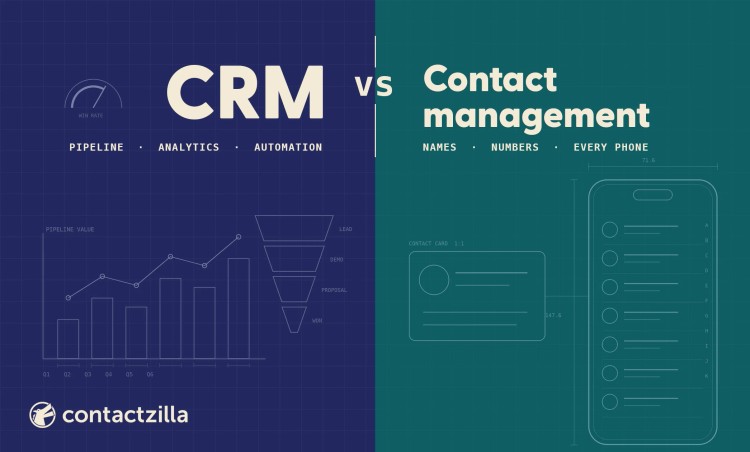
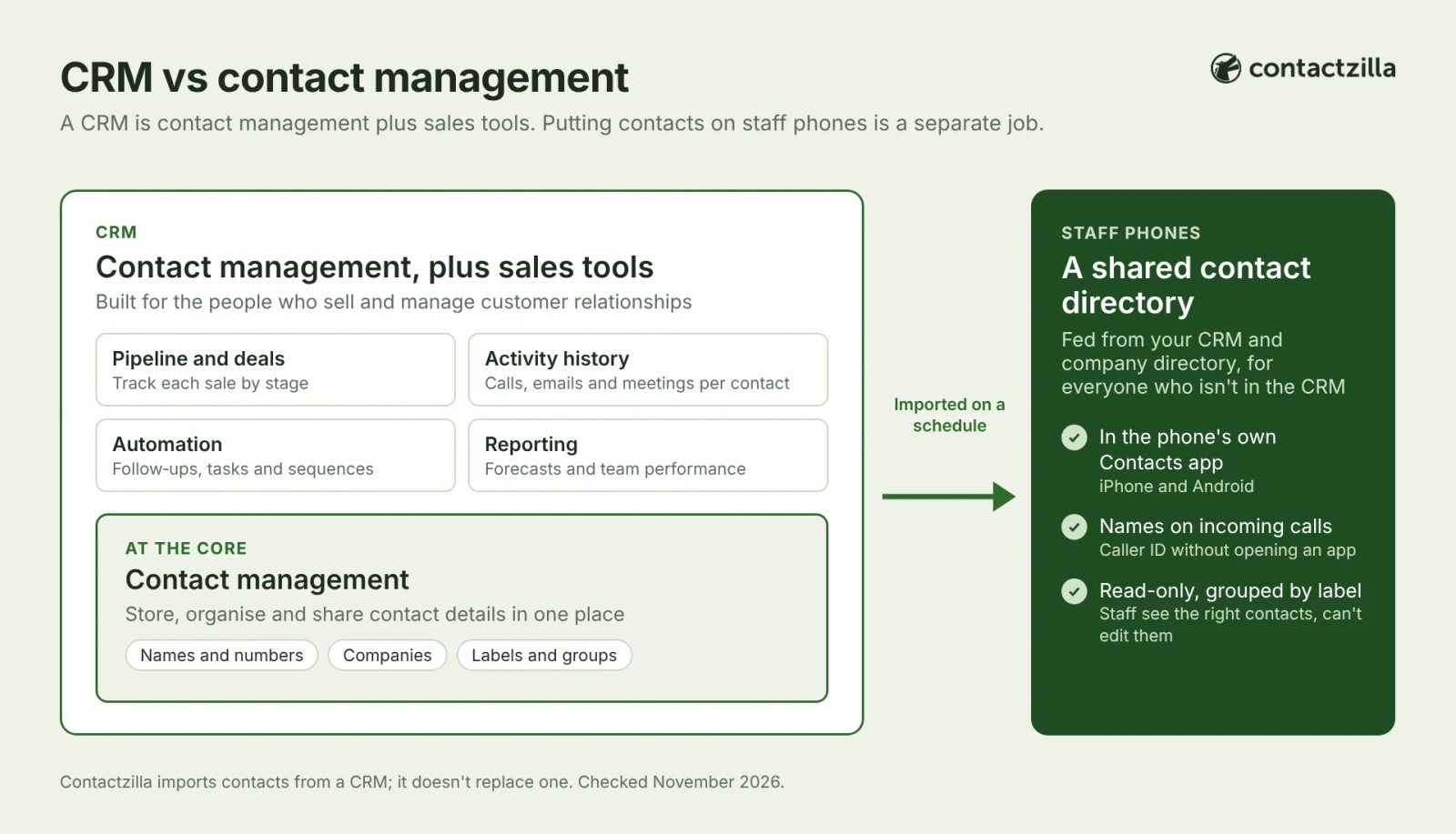
Short answer: Contact management is storing, organising and sharing contact details so the right people can find them. A CRM includes contact management and adds sales pipelines, activity tracking, automation and reporting.
Neither reliably puts the company's contacts into every employee's phone Contacts app. A CRM's mobile app covers its own users, and mostly its customers.
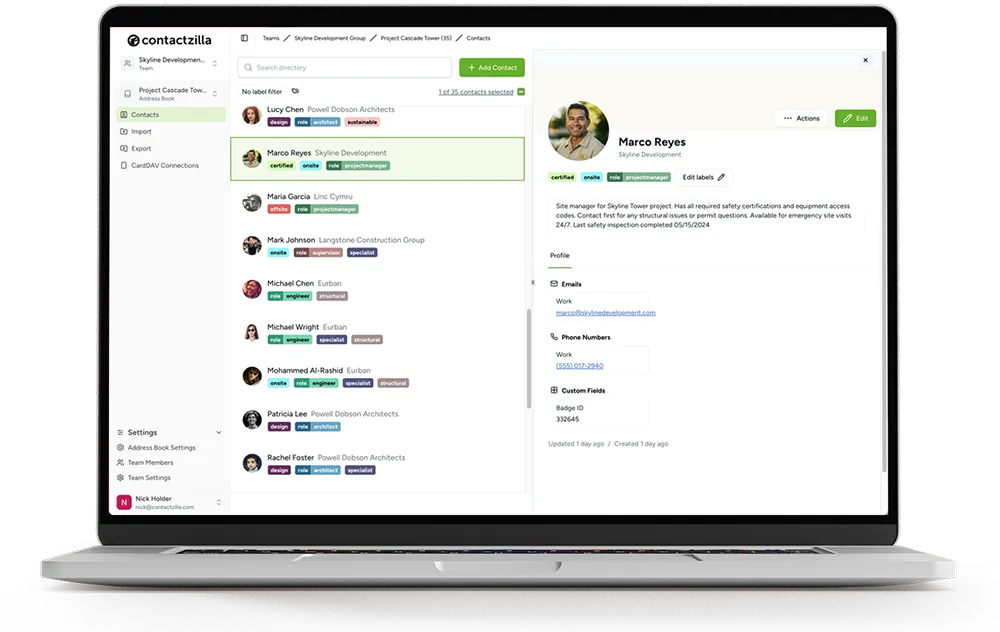
Contactzilla is a shared contact directory that imports from CRMs such as HubSpot and Salesforce, and from your company directory, then syncs the contacts to the native Contacts app on iPhone and Android, with caller ID.
What is contact management, and what is a contact management system?
Contact management is the practice of keeping the contact information of the people your business deals with (customers, clients, suppliers, contractors, colleagues) accurate, organised and easy for the right people to find. It covers names, phone numbers, email addresses, job titles and companies, plus whatever notes or labels make a contact useful.
A contact management system is the software that does this for a team. At its simplest it's a shared address book (some call it a contact manager): one central contact list, searchable, with groups, labels or segments, that several people can read and some can edit. Outlook's shared contacts, Google Workspace's shared contacts, a SharePoint list and dedicated contact management software all fit the description, with very different limits on who can see the list and where.
The job of contact management ends at "the right person can reach the right contact quickly". It doesn't track deals, score leads or send campaigns.
What is a CRM, and how does contact management work in a CRM?
A CRM (customer relationship management system) is software for managing customer relationships and prospects over time. Contact management sits at its core: every CRM has contact records, and HubSpot, for example, describes contact management as part of its free CRM. Salesforce's own explainer on what a CRM is frames it the same way: technology for managing relationships and interactions with current and potential customers.
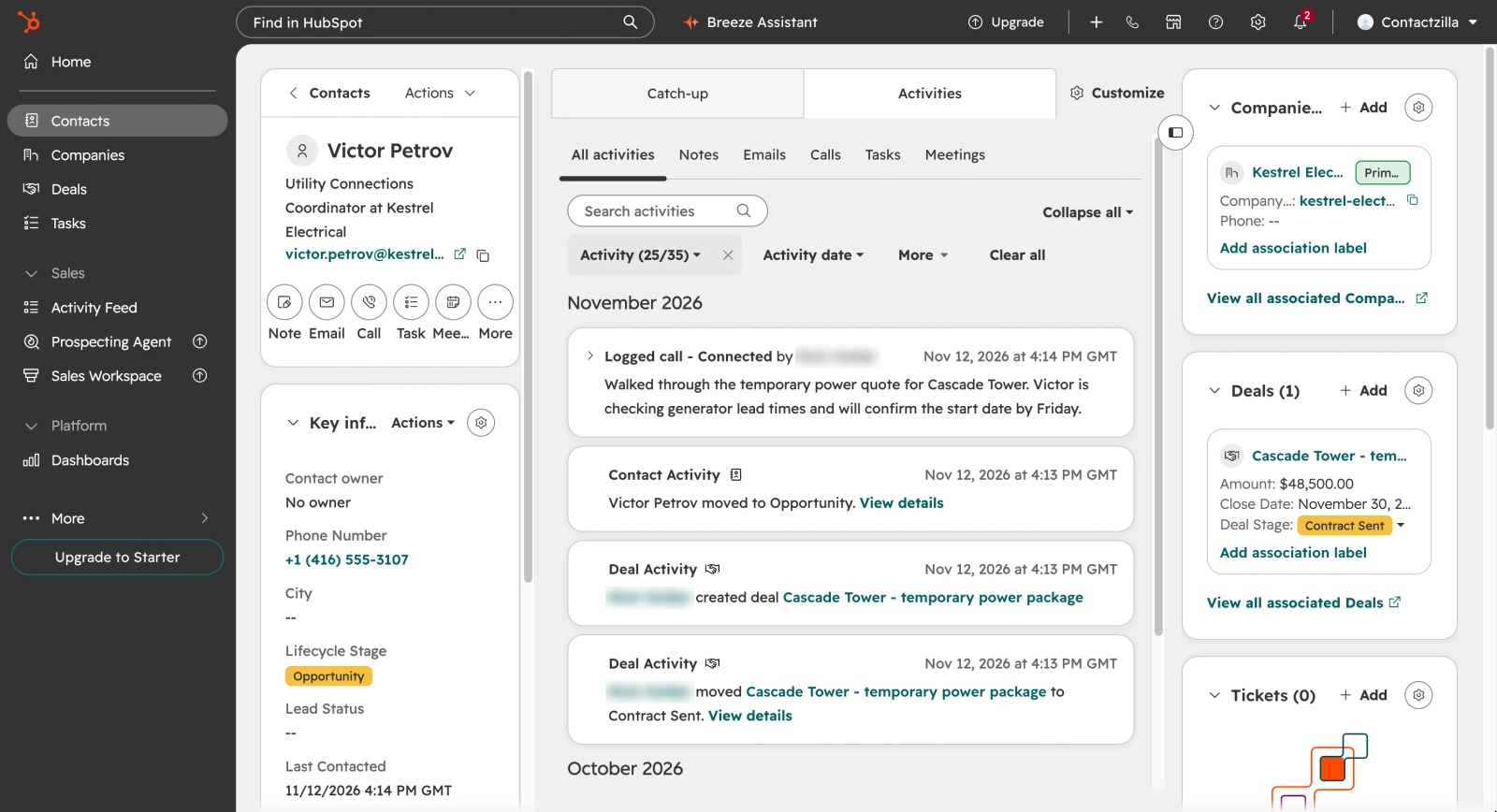
The extra features of CRM software sit around the contact record. Each contact is linked to a company, deals and tickets; calls, emails and meetings are logged against it; and the CRM moves people through a sales pipeline, automates follow-up reminders and tasks, and reports on what's working with analytics. That makes contact management in a CRM richer, but also narrower: it's about customers and prospects, kept by the people who sell and support.
Key terms: contact relationship management and shared contact directories
Contact relationship management: a term people often use for what a CRM does. It means tracking the interaction history with each contact (calls, emails, deals and notes), which goes beyond basic contact management.
Shared contact directory: one central address book, kept by an admin, that every employee sees on their computer or phone. It's contact management designed to get one list onto many devices.
CRM vs contact management: the key differences
The two overlap on storing contacts and differ on almost everything else.
| Contact management system | CRM | |
|---|---|---|
| Main purpose | Keep contact information accurate and easy to find and share | Win, grow and keep customer relationships |
| Whose contacts | Anyone the business deals with: customers, suppliers, contractors, colleagues | Mostly customers, leads and prospects |
| Core features | Central list, search, groups or labels, shared access, notes | All of those, plus deals, pipelines, activity logging, automation, reporting and integrations |
| Who uses it | Everyone who needs to call or email people | Sales, marketing and customer service teams |
| Set-up effort | Quick: import a list and share it | Grows with use: pipelines, fields, integrations, training |
| Typical pricing | Flat, per user or per device | Usually per user, with key features in higher tiers |
| On staff phones | Depends on the tool; some sync into the phone's own Contacts app | Usually inside the CRM's own mobile app, for people with a login |
Do you need a CRM, a contact management system, or both?
Start with what goes wrong today. If deals slip because nobody followed up, that's a CRM problem. If staff can't find a supplier's number, or call a customer back without knowing who it is, that's a contact management problem.
When contact management software is enough for a small business
- Your sales process is short, or you don't really have one (trades, healthcare, local government, field services).
- The problem is that contacts are scattered and duplicated across phones, inboxes and spreadsheets, and every change means manual data entry in several places.
- Most of the people who need the contacts never sell anything: technicians, drivers, receptionists, crews.
- You need the list on phones more than you need reports.
Our roundup of contact database software compares a few options.
When a business needs a CRM
- Several people work the same customers, and you need one interaction history for every call and email.
- You run a sales pipeline with stages, forecasts and follow-up workflows.
- You want marketing campaigns, lead scoring or automated sequences.
When you need a CRM and contact management together
- Your sales team lives in the CRM, but everyone else still needs customer, supplier and colleague numbers on their phones.
- Reps want customers' names to show when they call, in the phone's own call screen.
- Your company directory (Microsoft 365 or Google Workspace) and your CRM both hold contacts that staff need in one place.
If everyone who talks to customers already works in the CRM and its app, you may not need anything else. The gap opens up when the people on the phones aren't the people in the CRM.
Does a CRM put your contacts on your team's phones?
Partly, and only for the people with a CRM login. CRM mobile apps let licensed users look contacts up inside the app, and some go further. HubSpot's app can identify incoming callers from its CRM records; HubSpot's own guide to caller ID in the HubSpot mobile app says it syncs every 24 hours and works best with fewer than 10,000 contacts. Each user has to turn it on, and if a caller is already saved in the phone's own contacts, the phone shows that entry instead.
That leaves gaps that matter outside the salespeople:
- People without a CRM seat. Field technicians, drivers and front-desk staff rarely have one, and giving everyone a CRM login just to look up numbers means more accounts to manage and, on most paid CRMs, more seats to buy.
- Contacts that aren't customers. Colleagues, suppliers and subcontractors usually live in Microsoft 365, Google Workspace or a spreadsheet, not the CRM.
- The phone's own Contacts app. Search, Messages and CarPlay read the phone's contacts. A CRM app's caller ID covers incoming calls only, for users who have turned it on.
- Control. A number saved by hand on someone's phone isn't updated when it changes, and leaves the business with them.
Why sales teams want CRM contacts in the phone's Contacts app
We had an inquiry from the managing director of a medical equipment supplier whose CRM app took about 40 seconds to sign in and find a customer, which was driving his salespeople mad. He wanted the CRM's customers in the phone's own contacts instead.
A law firm's systems engineer asked for something harder: each lawyer's own client contacts from the CRM on that lawyer's phone, without building thousands of separate address books. We told him we don't have a good answer for that today. It's possible through our API, and a hybrid address book that keeps each user's own contacts separate from the shared directory is in the works. A list per team is straightforward; a separate list per person isn't yet.
How to get CRM contacts into your team's phone Contacts app
A shared contact directory sits between your sources and your phones. Contactzilla imports contacts from HubSpot, Salesforce, Odoo, Microsoft Entra ID, SharePoint lists or a CSV into shared address books, and re-runs each import on a schedule, such as every few hours or once a day, so changes in the CRM flow through.
It then syncs each address book into the native Contacts app on iPhone and Android, delivered by your MDM, such as Intune, or a QR code. The sync runs one way, from the CRM to the phones, and contacts deleted in the CRM can be removed from the phones at the next import. Contacts can be read-only, and labels control access, so each team gets only the contacts it needs, which matters when customer data shouldn't be on every phone. Because they're in the phone's own contacts, the caller's name shows on incoming calls.
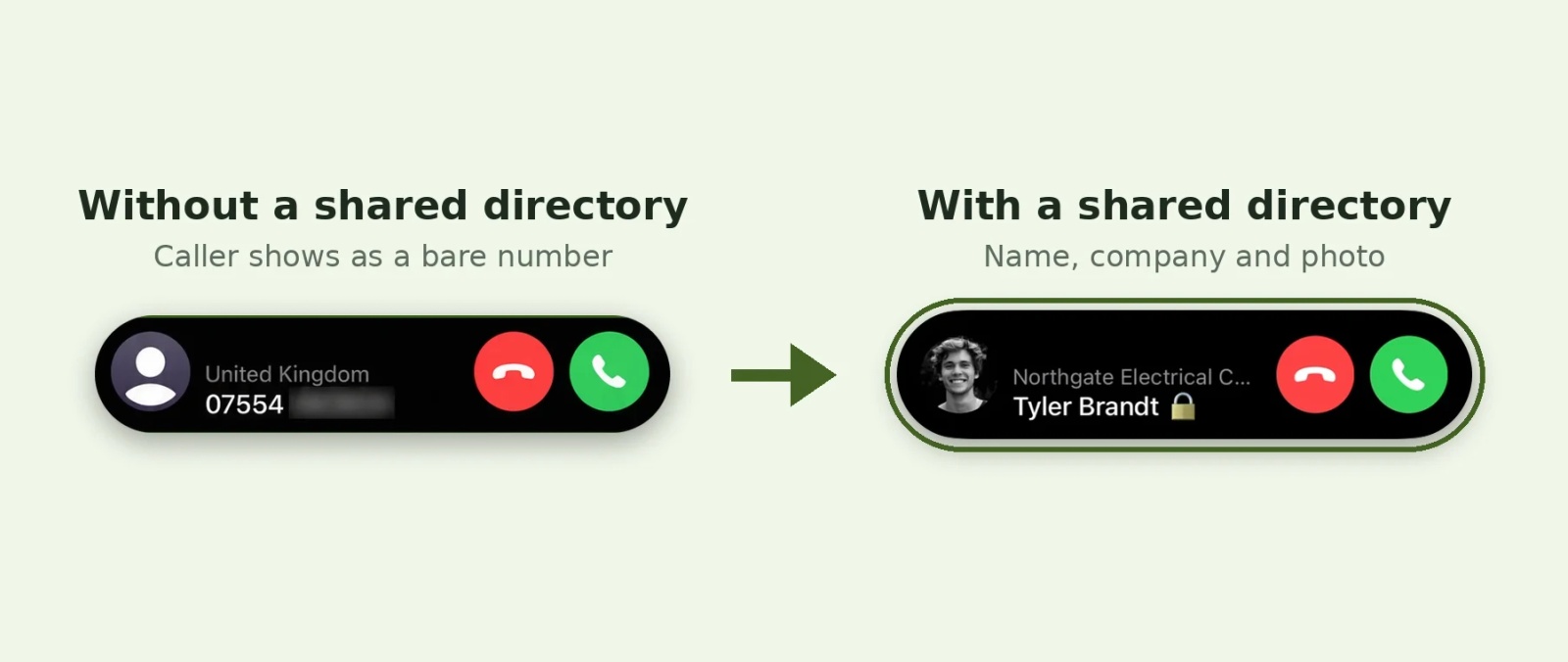
Tested on an iPhone 15 running iOS 27.0.1, November 2026.
Tip 💡 Using HubSpot? Our guide to exporting HubSpot contacts to your team's iPhones and Android phones goes from CSV export to a scheduled sync. On Salesforce, see syncing Salesforce contacts with iPhone.
What do CRM and contact management software cost?
CRMs are almost always priced per user per month, and the features that make a CRM worth having (automation, reporting, custom pipelines) sit in the higher tiers. Free CRM plans exist, HubSpot's being the best known, but they're designed for sales teams, and each person still needs a login.
Contact management tools vary more: per user, flat per team, or per device. Contactzilla charges per device the contacts are synced to, with unlimited admin users and address books. Current prices are on the Contactzilla pricing page.
Tip 💡 Already in Microsoft 365? Our guide to contact management for Outlook covers how teams share contacts there, and why none of Outlook's options reach staff phones on their own.
Next steps
- Choosing a tool: our roundup of contact database software and our guide to shared address book apps.
- Getting a CRM's contacts onto phones: HubSpot to iPhone and Android and the HubSpot import help article.
- Deploying through an MDM: syncing company contacts to iPhones with Microsoft Intune.
- Keeping the list under control: making company contacts read-only on iPhone.
- Industry guides: the best CRM for the construction industry, choosing field force management software and ERP systems for fleet management.
Frequently Asked Questions
Is CRM the same as contact management, or is contact management part of CRM?
Contact management is part of every CRM, but they aren't the same. A CRM links each contact to deals, emails and calls, and adds pipelines, automation and reporting. Contact management software only stores, organises and shares contact information, often including colleagues and suppliers a CRM leaves out.
What is a contact management system used for?
A contact management system keeps a business's contacts in one central, searchable list that a team can share. It's used to stop numbers being scattered across personal phones and inboxes, to keep details current when people change roles, and to make sure everyone calls the right person.
Can Outlook or Google Contacts work as a contact management system for a team?
Up to a point. Outlook shared contacts folders and Google Workspace's directory and shared external contacts give colleagues a common list, mostly on computers. Phones can usually search the company directory, but neither copies a shared list into every employee's Contacts app on its own, and splitting it by team is hard.
Can I use a CRM and a contact management system together?
Yes, and many businesses do. The CRM stays the source for customer data and the sales team's work. A shared contact directory imports from it on a schedule, adds colleagues and suppliers from other sources, and puts the combined list on everyone's phones.
Do CRM contacts show caller ID on iPhone?
Only for people who use the CRM's app and switch caller ID on. HubSpot's app, for example, matches incoming numbers to CRM records once each user enables it in iPhone Settings. For every employee's phone to show the name with no per-person set-up, the contact needs to be in the iPhone's Contacts app.
What's the difference between contact management and contact relationship management?
Contact management keeps contact details accurate and shared. Contact relationship management is a looser term for tracking your interaction history with each contact, which is what a CRM system does. If you need that history, you need a CRM. If you need the numbers in front of the right people, contact management is enough.