Entra ID vs Active Directory (and Azure AD): What's the Difference?

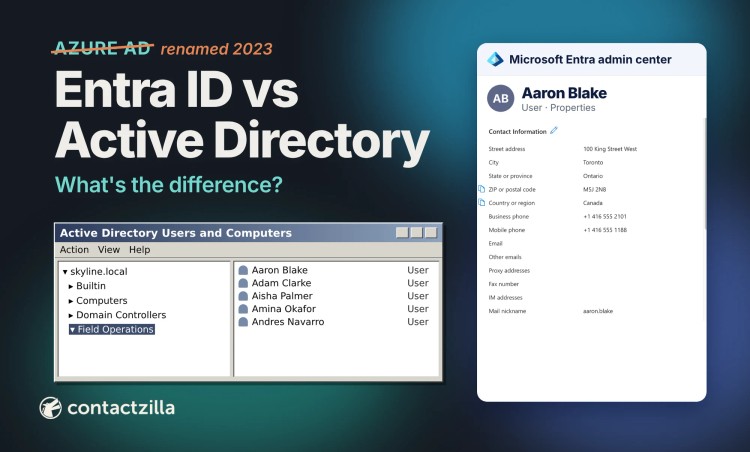
Microsoft has two directories with confusingly similar names, and many organisations that have been around a while run both.
Short answer: Active Directory is Microsoft's on-premises directory for domain-joined Windows PCs and local resources. Microsoft Entra ID, called Azure AD until 2023, is Microsoft's cloud identity service for Microsoft 365, Azure and SaaS sign-ins.
They're separate products. Active Directory runs on your own domain controllers with OUs, Group Policy and Kerberos. Entra ID is hosted by Microsoft and uses SAML, OAuth and Conditional Access.
Many organisations run both, syncing users with Entra Connect. Cloud-only organisations can drop Active Directory; anything still needing Kerberos, LDAP or Group Policy keeps it.
Is Azure AD the same as Entra ID?
Yes. Microsoft announced in July 2023 that Azure Active Directory (Azure AD) was being renamed Microsoft Entra ID, and nothing about the service changed. Microsoft says the rename was partly to avoid confusion with Windows Server Active Directory, and Azure AD Free, Premium P1 and Premium P2 became Microsoft Entra ID Free, P1 and P2 on 1 October 2023. Azure AD B2C, for customer sign-ins, kept its name, though Microsoft stopped selling it to new customers in May 2025.
Azure AD was always a separate product from Active Directory. So "Active Directory vs Azure AD" and "Entra ID vs Active Directory" are the same question.
What is Active Directory, and what is a domain controller?
Active Directory Domain Services (AD DS) is the directory service built into Windows Server. It runs on domain controllers, servers in your own on-premises infrastructure that each hold a full copy of the directory and replicate every change to the others in the domain. Users, computers and groups are arranged in a domain and organisational units (OUs), and Group Policy Objects (GPOs) push settings to domain-joined Windows devices and servers. Authentication uses Kerberos and NTLM, and legacy applications often look people up over LDAP. Active Directory was designed for an internal network you own: its security model trusts what's inside the perimeter, and it controls access to file shares, printers and other on-premises resources.
What is Microsoft Entra ID?
Microsoft Entra ID is Microsoft's cloud-based identity and access management service, delivered as identity as a service (IDaaS). Every Microsoft 365 tenant has one: it's where your users, groups and app registrations live, and it signs people into Microsoft 365, Azure and thousands of SaaS applications with modern authentication protocols such as SAML, OAuth 2.0 and OpenID Connect. Entra ID follows a Zero Trust approach and doesn't trust the corporate network. It makes an access control decision at each sign-in: security defaults turn on multi-factor authentication (MFA) for every tenant, and Conditional Access policies (Entra ID P1) add rules for location, device and risk. There are no domain controllers or OUs to run, and nothing to patch: Microsoft hosts it.
Entra ID vs Active Directory: key differences at a glance
| Area | Active Directory (AD DS) | Microsoft Entra ID |
|---|---|---|
| Where it runs | Domain controllers on your own servers | Microsoft's cloud, as a service |
| What people sign into | Domain-joined Windows PCs, file servers, printers and on-premises apps (cloud apps only through AD FS or Entra ID) | Microsoft 365, Azure, SaaS apps and other cloud applications |
| Authentication protocols | Kerberos, NTLM, LDAP | SAML, OAuth 2.0, OpenID Connect, SCIM for provisioning |
| Structure | Forests, domains, OUs and groups | A flat tenant with groups (including dynamic groups) and administrative units, the nearest thing to OUs |
| Device management | Domain join and Group Policy for Windows | Entra join for Windows and macOS, with Intune for policies and apps |
| Phones and tablets | No native support | Managed through Intune or another MDM |
| Security model | Trusts the corporate network; password policies and lockout | Checks every sign-in: MFA, Conditional Access, passwordless |
| Admin tools | Active Directory Users and Computers, PowerShell | Microsoft Entra admin center, Microsoft Graph, PowerShell |
Microsoft's own comparison of Active Directory and Microsoft Entra ID goes concept by concept if you're planning a migration.
How do Entra ID and Active Directory work together in a hybrid setup?
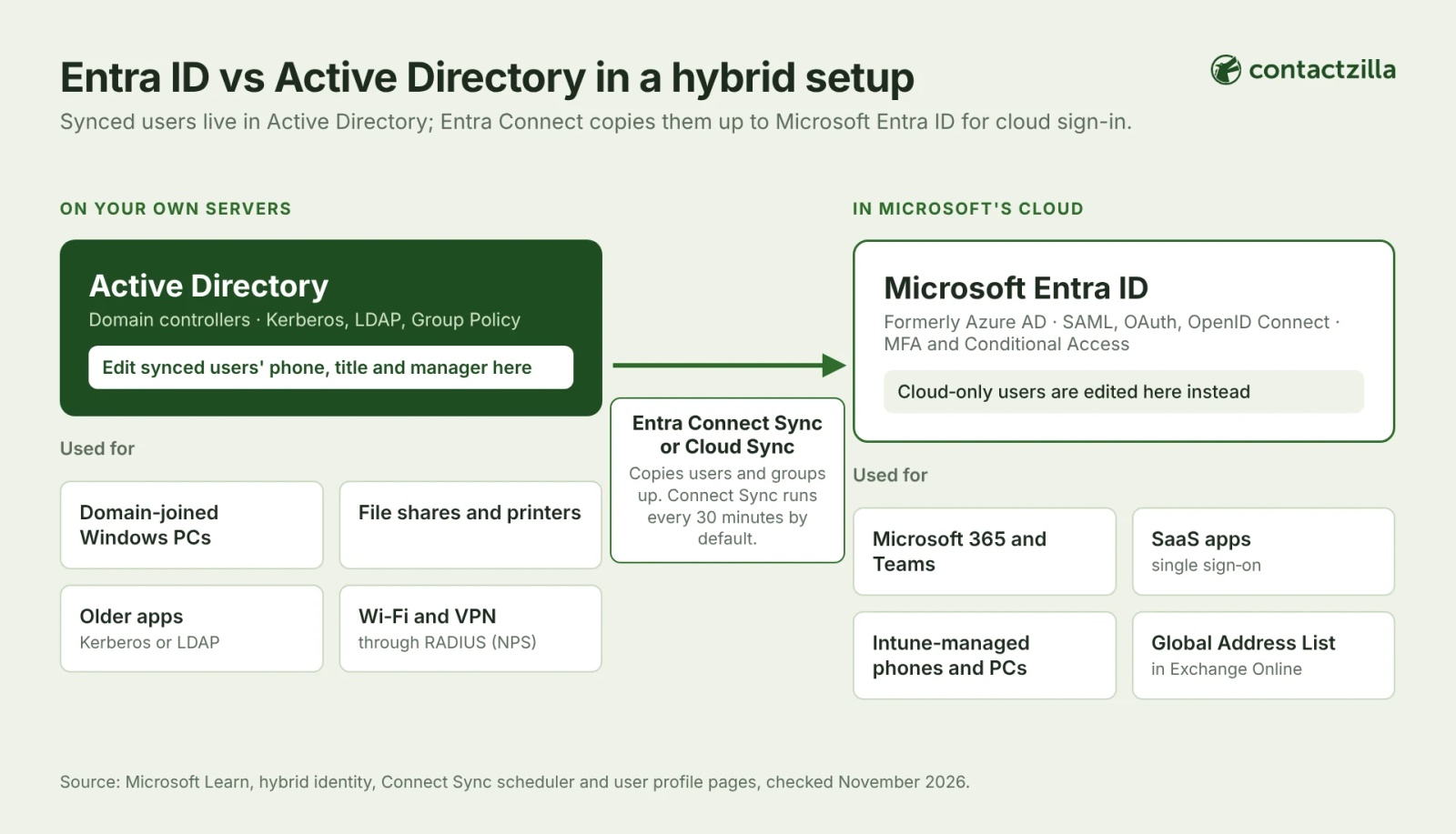
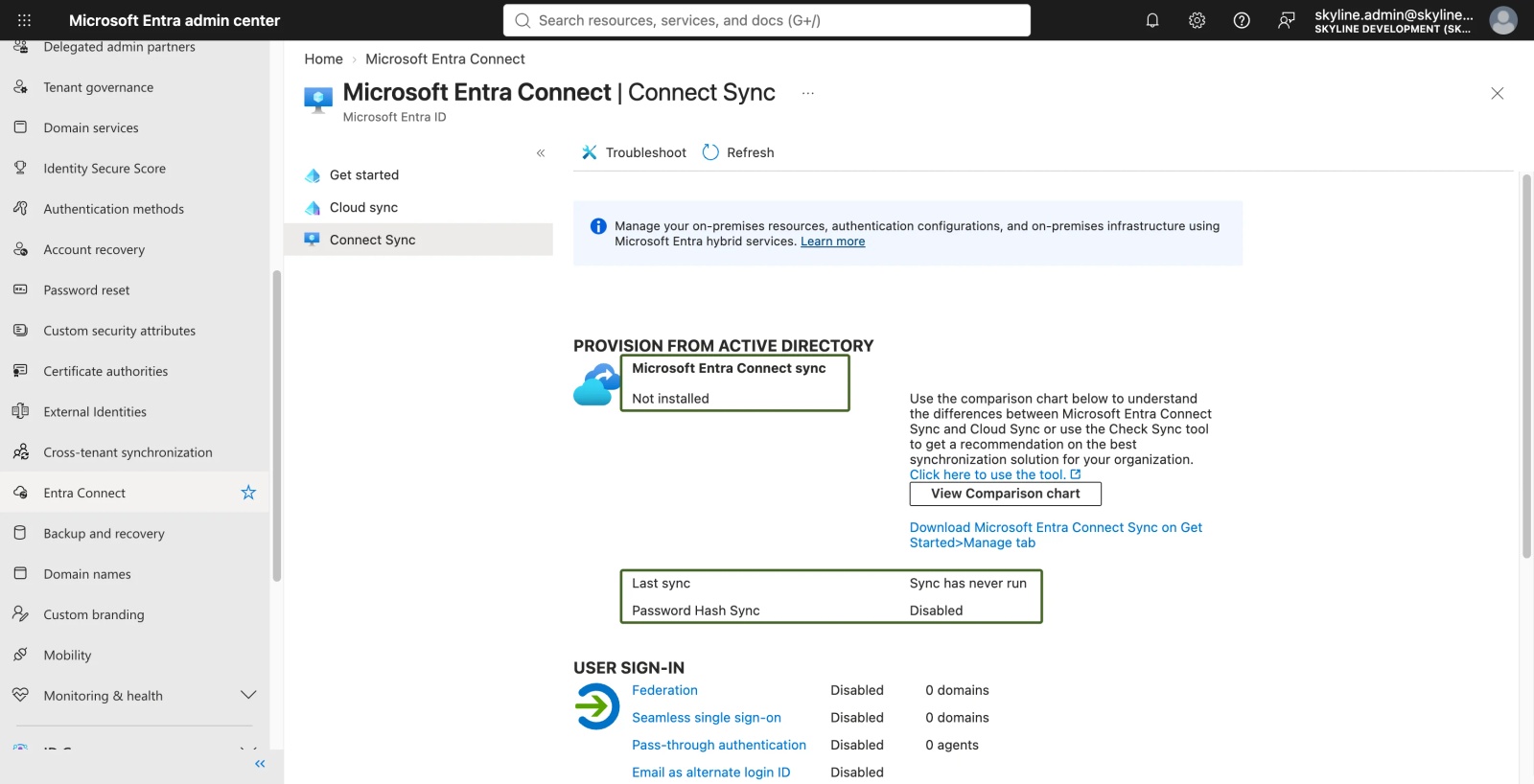
Most organisations with an existing domain don't choose one: they run a hybrid environment, where user identities created in Active Directory are copied into Entra ID so the same person can sign into a domain PC and Microsoft 365 with one account and single sign-on (SSO). Microsoft calls this hybrid identity, and there are two sync tools. Microsoft Entra Connect Sync (formerly Azure AD Connect) runs on a server you manage and, by default, syncs every 30 minutes. Microsoft Entra Cloud Sync swaps that server for lightweight agents, with its configuration held in the cloud. Sign-in then uses password hash synchronization, pass-through authentication or federation with AD FS. Devices can be hybrid too: a Microsoft Entra hybrid joined PC is joined to the on-premises domain and registered in Entra ID at the same time.
Where do you edit a synced user's phone number: Active Directory or Entra ID?
In Active Directory. For a user synced from on-premises, Microsoft says you must use Windows Server Active Directory to update their contact and job info, and the change reaches Entra ID at the next sync. Cloud-only users are edited in the Microsoft Entra admin center instead. That split decides where the Global Address List, Teams profile cards and any app that reads Entra ID get their phone numbers from, which our post on updating the Global Address List lays out user type by user type. Disabling a leaver works the same way: disable the account in Active Directory and Entra ID shows it as disabled after the next sync.
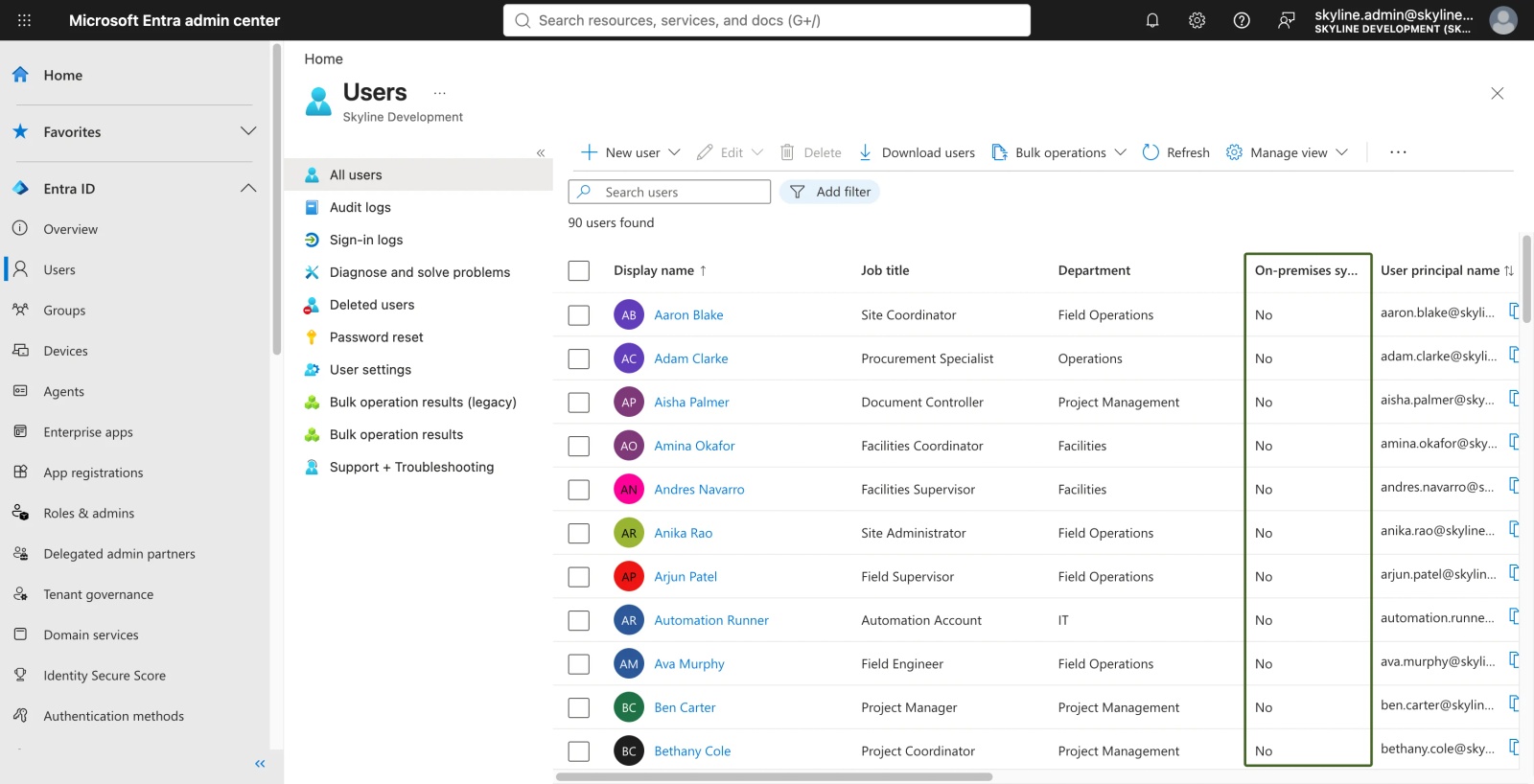
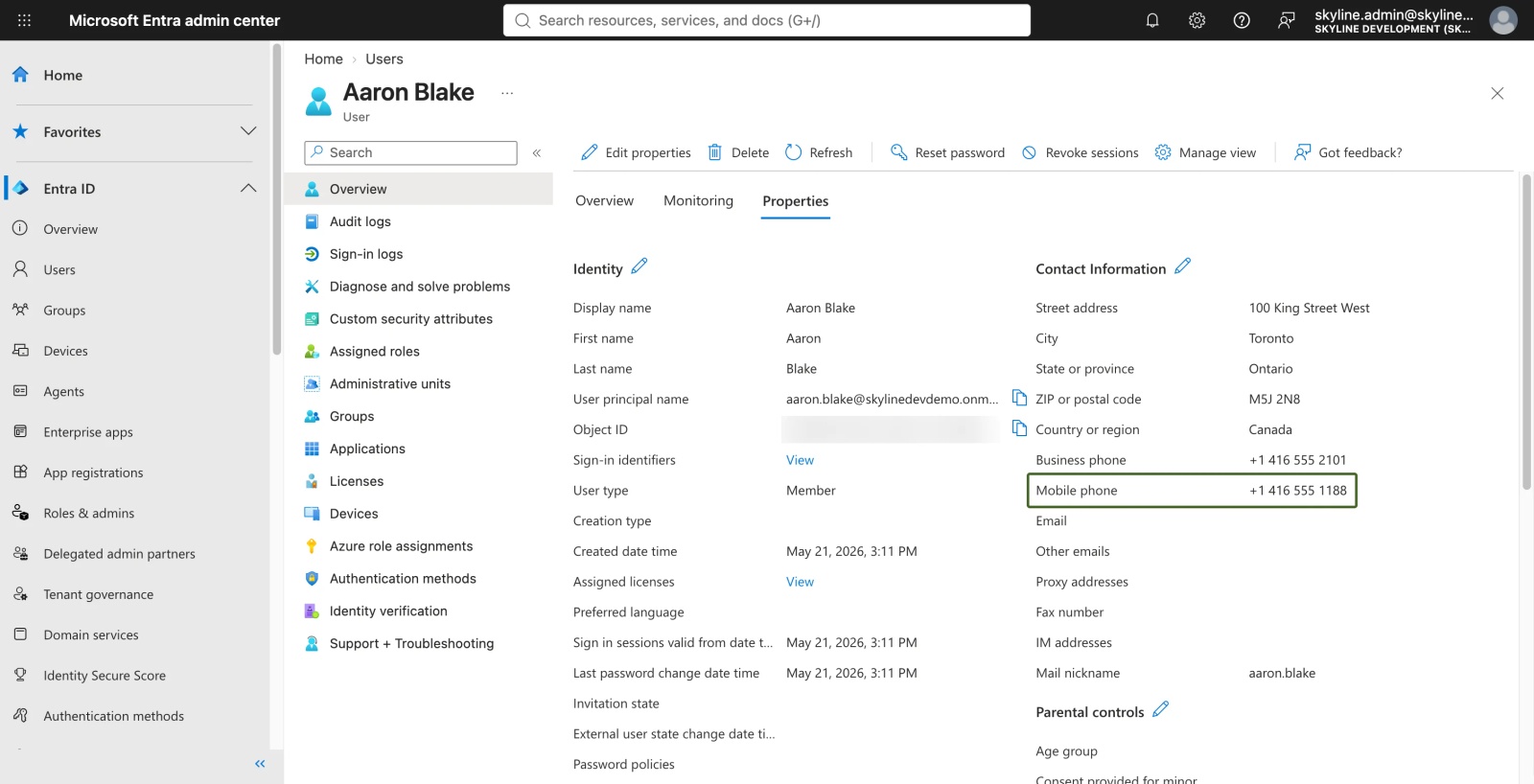
Microsoft has also started letting you move individual synced users to cloud management, which it calls transferring the user Source of Authority (SOA) to Entra ID. After the switch, that person's details are edited in Entra ID rather than Active Directory. It needs on-premises Exchange retired first and doesn't support users federated through AD FS, so treat it as a migration step. The same feature covers contacts as well as users, so mail contacts that show in the address book can move to cloud management too.
Tip 💡 Hiding a synced user from the address book has its own hybrid wrinkle. Our guide to hiding a user from the Global Address List, including hybrid covers the on-premises attribute and the newer cloud option.
Can Entra ID replace Active Directory?
Yes, for many smaller and newer organisations, which often means you don't need Active Directory with Microsoft 365 at all. If every app you use signs in through Entra ID (SAML, OAuth or OpenID Connect), your Windows PCs are Entra joined and managed with Intune, and file shares have moved to SharePoint or OneDrive, there's nothing left for a domain controller to do. Plenty of businesses started cloud-only and never had one.
Traditional Active Directory tends to stay where something still needs it: legacy applications that authenticate with Kerberos or LDAP, Windows servers managed with Group Policy, on-premises Exchange, print servers, or Wi-Fi and VPN that check users through RADIUS (NPS). Entra joined PCs can still reach on-premises file shares through Windows Hello for Business cloud Kerberos trust, which is why many IT teams move PCs first. If what you want is a cloud Active Directory for legacy apps and servers in Azure, Microsoft Entra Domain Services provides a managed domain with domain join, Group Policy, LDAP and Kerberos, without you running domain controllers. Microsoft positions it as a bridge for legacy apps, not a general replacement for Active Directory. So the realistic path for most is hybrid first, then shrinking Active Directory app by app.
Where does Intune fit alongside Microsoft Entra ID and Active Directory?
No, Entra ID isn't an MDM: it handles identity management, and Microsoft Intune manages the devices, including iPhones and Android phones, which Active Directory never could. Intune reports device compliance so Conditional Access in Entra ID can block a phone or PC that isn't compliant. If you're choosing how much of a phone to manage, our post on MDM vs MAM explains the two approaches.
Tip 💡 Want your Entra ID users in every phone's own Contacts app, not just in Outlook? Our guides to syncing the Global Address List to iPhone and to Android show how, for cloud and synced users alike.
Next steps
- See how Entra ID users appear in Outlook's address book in Global Address List (GAL): What It Is, Where It Is in Outlook.
- Bring Entra ID users into a phone directory with Import contacts from Microsoft Entra ID to Contactzilla, or watch Sync Microsoft Global Address List to iPhone & Android.
- Clean up duplicates first with How to Deduplicate Contacts Before They Reach Staff Phones.
- Sign in with your Microsoft account using SSO and SCIM provisioning with Microsoft Entra ID.
Frequently Asked Questions
Does Entra ID use Group Policy?
No. Microsoft Entra ID has no equivalent of Group Policy. Settings for Entra joined Windows PCs, Macs and phones come from Intune or another MDM instead, as configuration profiles and security baselines. Microsoft Entra Domain Services does include it, but only for servers joined to its managed domain in Azure.
Do you need Entra Connect if you don't have Active Directory?
No. Entra Connect Sync and Cloud Sync only copy users from an on-premises Active Directory into Entra ID. A cloud-only organisation creates users directly in Entra ID or the Microsoft 365 admin center, or provisions them from an HR system, and has nothing to sync.
Is Microsoft Entra ID free?
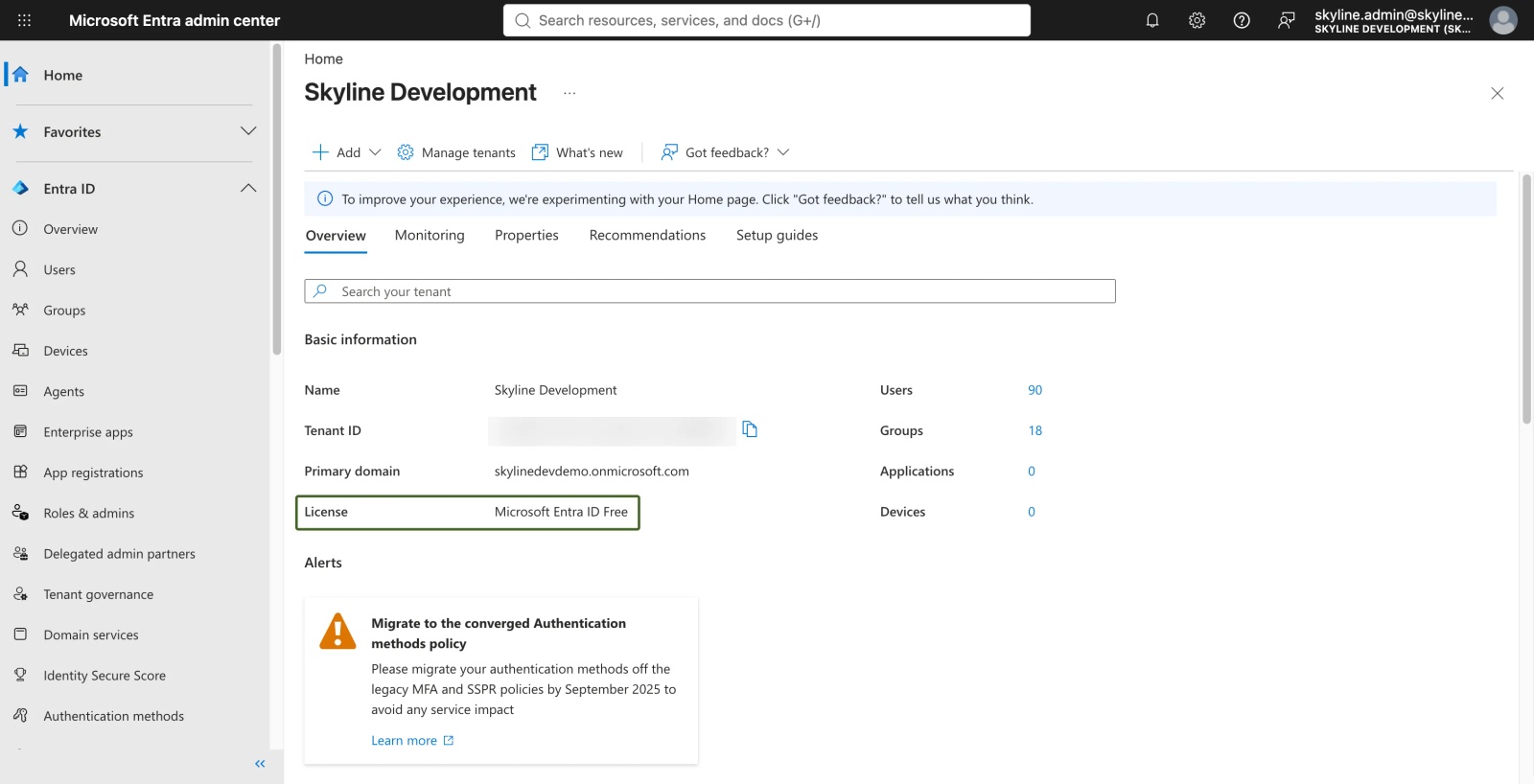
Yes, at its basic level. Microsoft Entra ID Free is included with Microsoft cloud subscriptions such as Microsoft 365 and Azure. Paid tiers add features: Entra ID P1, which brings Conditional Access, is included in Microsoft 365 E3 and Business Premium, and Entra ID P2 is included in Microsoft 365 E5.
Can Entra ID authenticate apps that use LDAP?
Not directly. Entra ID doesn't speak LDAP. Apps that need LDAP or Kerberos either keep using an on-premises Active Directory, use Microsoft Entra Domain Services as a managed domain in Azure, or, for on-premises web apps that use Windows-integrated (Kerberos) sign-in, are published through Microsoft Entra application proxy. Apps that bind over LDAP can't use application proxy.