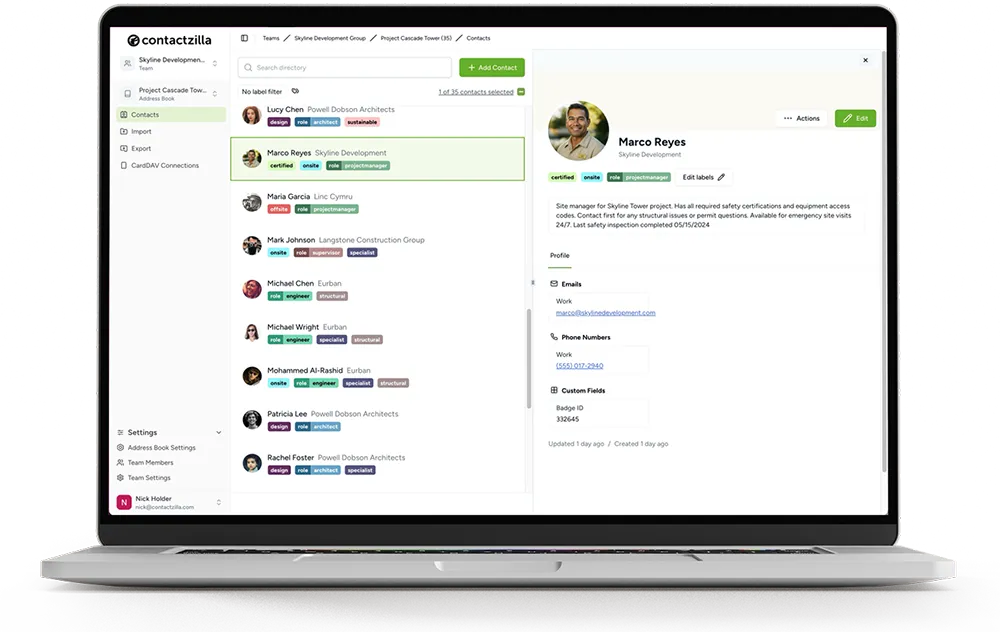
How to Set Up Emergency Bypass for Your Team's Contacts, So Critical Calls Get Through

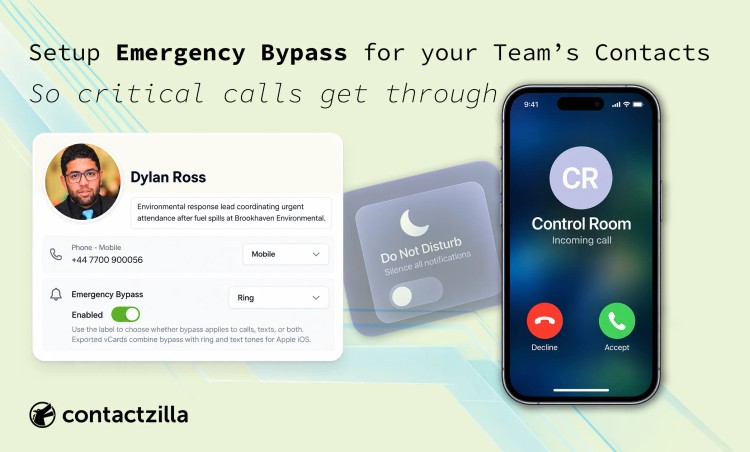
Do Not Disturb and Focus modes silence every call and text on an iPhone by default, including from the one person who genuinely needs to get through. Apple's Emergency Bypass setting lets specific contacts ring and text through anyway. In Contactzilla, it can be turned on for a single contact, or for a whole address book at once.
Short answer: Yes. In Contactzilla, Emergency Bypass can be turned on for a single contact from its edit screen, or set on hundreds of contacts at once by mapping a column to Emergency Bypass during CSV import. Because it's set on the contact in your Contactzilla address book, it applies automatically the next time that address book syncs down to your phones. There's no need to visit each device by hand.
Where this matters most
This came directly out of a request from a Contactzilla customer who needed a group of people to always be reachable, whatever their phone's Do Not Disturb setting said. In Contactzilla, that's a field on the contact itself, and here's what it looks like once it's set: Ring, enabled.
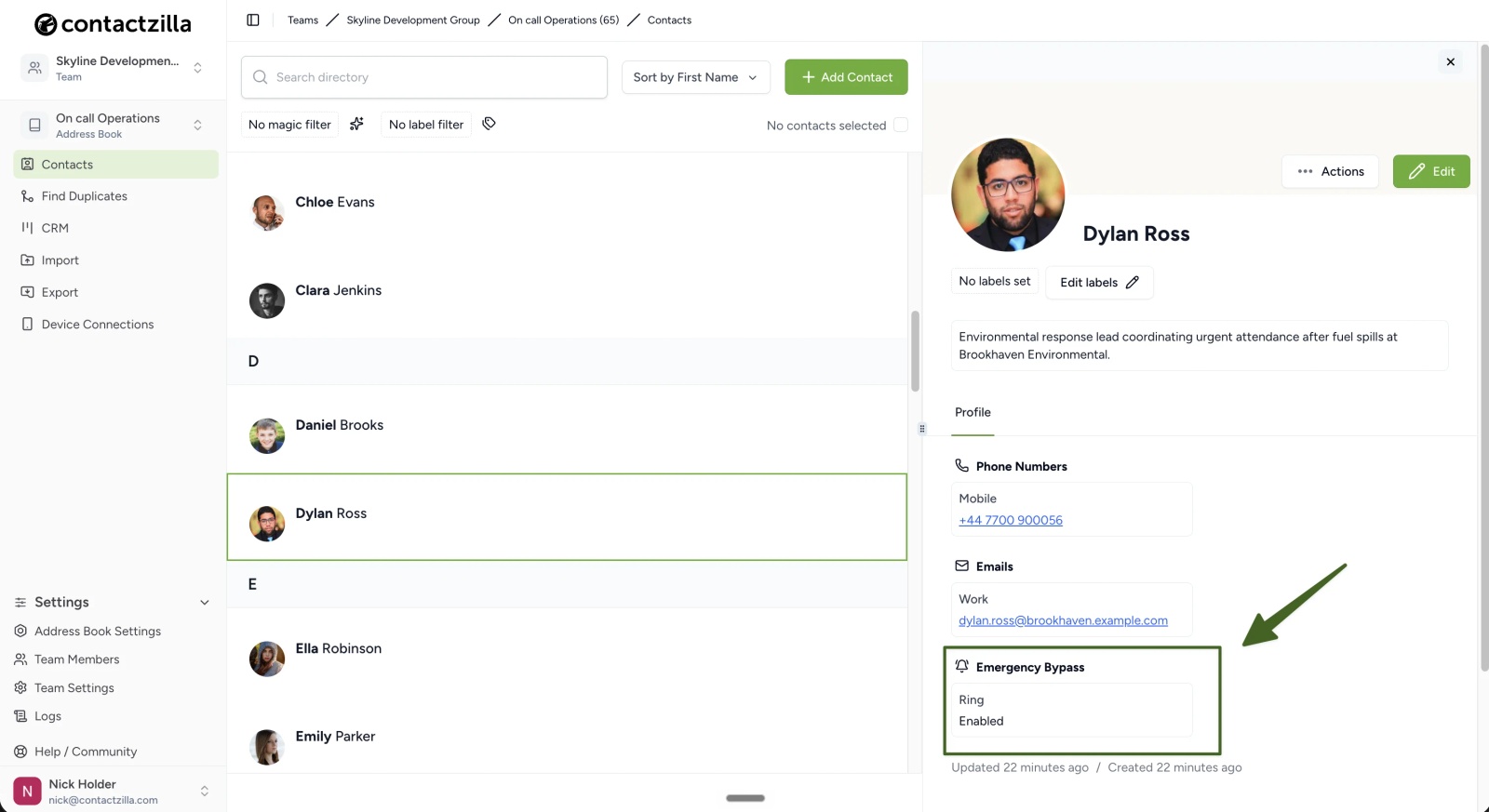
The same need keeps coming up elsewhere too, not least among the emergency-response and dispatch teams we work with, who have some of the strictest reachability requirements of anyone. A few examples of where it shows up:
- Emergency-response and dispatch teams. Whoever is on duty needs to be reachable by dispatch or a control room without exception, and that can't depend on one person remembering to check their phone's Do Not Disturb settings.
- An on-call rota. Whoever is on call this week needs to be reachable by the rest of the team, and that changes hands often enough that resetting bypass by hand on each new person's phone isn't realistic.
- Field or site crews. Engineers, technicians or site staff working away from a desk need calls from dispatch or a supervisor to get through, even mid-job with the phone on silent.
- Property or facilities management. A small number of people, such as an out-of-hours contact or a duty manager, need to be reachable for urgent site issues without every call needing a second look at the phone screen first.
What is Emergency Bypass?
Emergency Bypass is a setting Apple built into iOS contacts. When it's turned on for a contact, calls or texts from that contact ring and sound through even while the iPhone has Do Not Disturb or a Focus mode switched on. It's normally set from the Contacts app, on one contact, on one phone: open the contact, choose Ring or Text under Emergency Bypass, and turn it on. That has to be repeated on every phone that needs it.
Tip 💡 Setting this on every phone by hand does not scale. Read our guide to shared contact lists across devices.
Can you set Emergency Bypass on more than one contact at once?
Yes. Contactzilla's CSV importer includes Emergency Bypass as one of the fields a spreadsheet column can be mapped to, alongside standard fields like First Name, Email and Department. Anyone who already imports or updates a shared address book in Contactzilla can set Emergency Bypass the same way, for as many contacts as the import covers.
How to Set Emergency Bypass in Bulk via CSV Import
In Contactzilla, you can pull in your address books from a number of different sources, including a straight CSV import. Add an Emergency Bypass column to the file, map it during import, and every contact in that file picks up the setting, enabled for Ring, in one pass. As far as we've found, Contactzilla is the only contact management tool that can set Emergency Bypass across many contacts this way, rather than one phone at a time.
At the Mapping step, map that column to Emergency Bypass. Each row needs a value of true or false: true switches the field on as Ring, false leaves it off, and a blank cell skips the contact entirely.
Tip 💡 Mapping columns during import works the same way for other fields. See our post on importing and exporting custom fields.
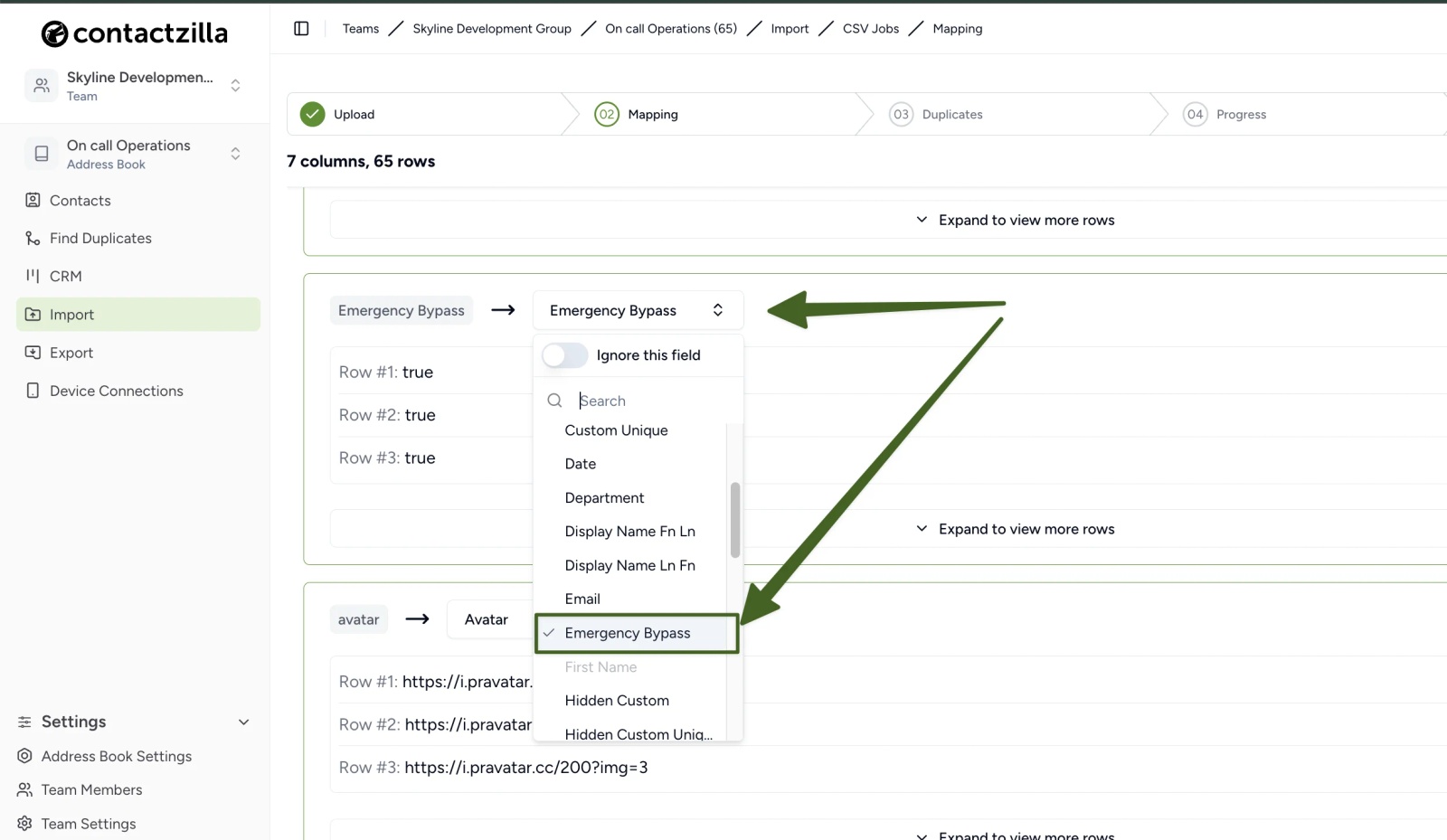
Once the import finishes, every contact it touched carries the setting straight away: a column mapped to true shows up as Emergency Bypass, Ring, Enabled on the contact's own profile, the same result shown earlier in this post. Bulk import sets the type to Ring by default, which fits the reachability problem most people are solving with it: a call gets through, rather than a text someone might not see in time.
How to Set Emergency Bypass on a Single Contact
If you later decide an individual contact needs Emergency Bypass, or no longer needs it, you can make that change from the contact's own edit screen instead of running another import: add or edit the Emergency Bypass field, choose Ring, Text or both, and switch it on or off.
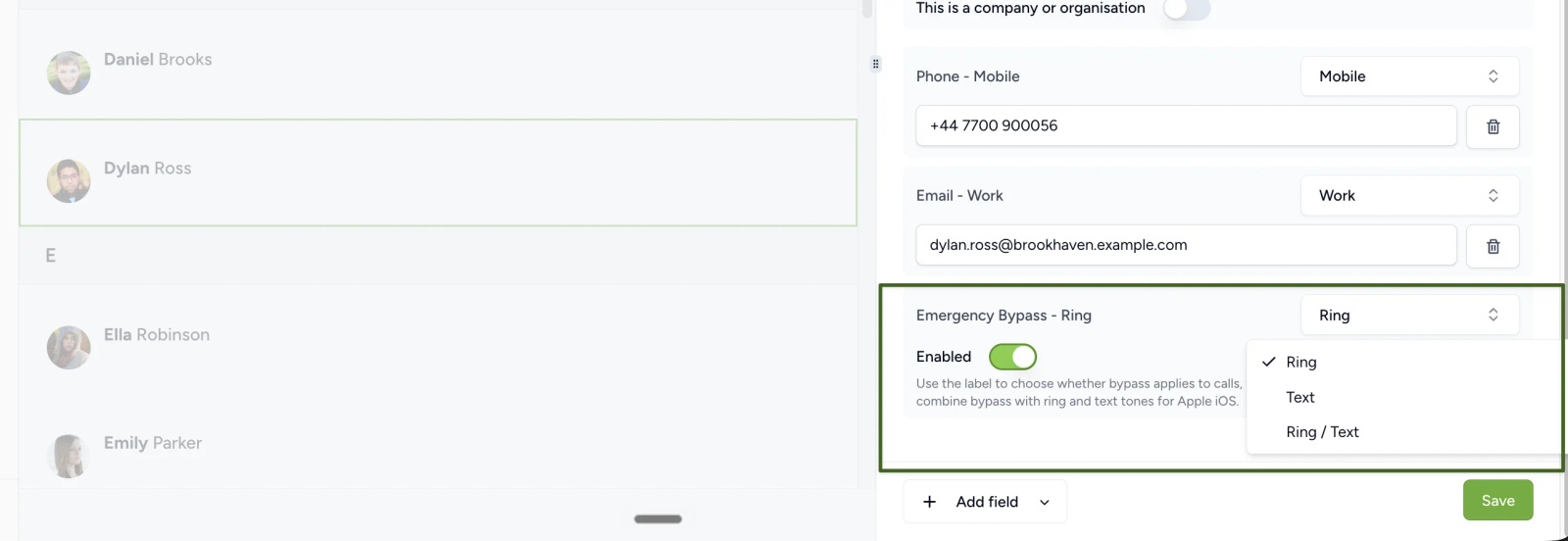
However it's applied, once it's set the change follows your Contactzilla address book automatically: there's no separate deployment step, and nothing extra to install on the phone itself.
Tip 💡 Managing iPhones with Intune? Our guide shows how to sync company contacts to iPhones with Intune.
FAQs
Can you bypass Do Not Disturb for specific contacts?
Yes. Apple's Emergency Bypass setting lets a specific contact's calls or texts ring and sound through Do Not Disturb or an active Focus mode. It's set per contact in the Contacts app by default, one phone at a time. In Contactzilla, it can also be set on many contacts at once during a CSV import.
What does Emergency Bypass do on an iPhone contact?
It lets that contact's calls and texts sound through even while Do Not Disturb or a Focus mode is switched on. It's turned on per contact, with a choice of whether it applies to calls, texts, or both.
Can you set a contact to always ring on iPhone, even with Do Not Disturb on?
Yes, using Emergency Bypass. It's set on the individual contact rather than as a general phone setting, so it only affects the contacts it's been turned on for.
Does Emergency Bypass work on Android?
[VERIFY 2: confirm Android support with a real test before publishing.] Expected to work, though we're confirming with a real test before publishing.
Emergency Bypass isn't working on my iPhone. Why?
Check that the type selected, Ring, Text or Ring / Text, actually covers what you need: a contact set to Ring won't bypass for texts, and vice versa. Also check the Enabled toggle is on, that Do Not Disturb or Focus is configured to allow bypass through, and that the contact has synced to the phone since it was set or imported.
Is Emergency Bypass the same as iPhone's Critical Alerts?
No. Critical Alerts is a separate Apple feature that lets specific apps send sound-on notifications through Do Not Disturb. It's granted per app, not per contact. Emergency Bypass is set on a contact, and controls whether calls and texts from that person get through, regardless of which app is used to reach you.
Does CSV import set Emergency Bypass to Text or Both, or only Ring?
Bulk CSV import sets Emergency Bypass to Ring. To use Text or Both for a particular contact, open that contact after the import and change the dropdown, the same way as setting it on a single contact.