Contact Management for MSPs
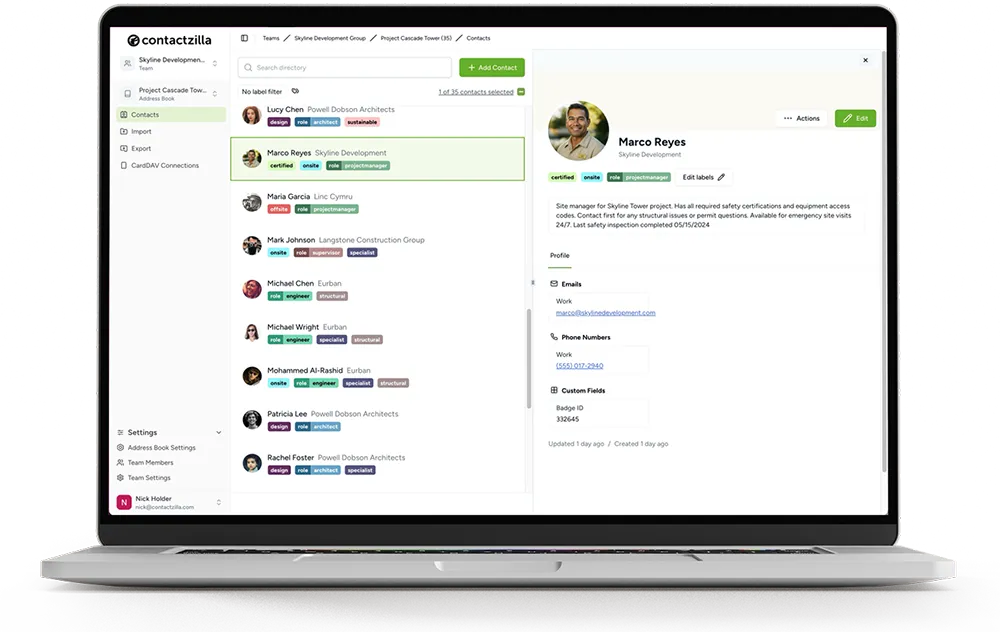
Manage contacts across multiple customer teams from one dashboard — with consolidated billing and discounted MSP pricing.
Shared Contacts that work on managed iOS and Android devices
One setup creates shared, read-only contact lists with controls IT can lock down
Native Contacts App Sync
Works with caller ID, search, messaging, and built-in contact features.
Read-Only Shared Lists
Keep client contact data accurate by preventing accidental edits or deletions.
MDM or QR Deployment
Push profiles at scale, or set up a single device in minutes.
Sync client contact lists in 3 simple steps
Create your client team
Keep each customer separate with their own address books and granular permissions.
Connect their contacts source
Import from:
- Microsoft 365 / Entra ID
- Google Workspace
- Salesforce
- CSV & vCard
Deploy to devices
Push via your MDM or QR
- Contacts appear in native contacts app.
What Are Shared Contacts for MSPs?
Manage multiple client address books from one dashboard — then deploy to iOS and Android via MDM or QR — kept up to date across every managed device.
Contactzilla is built for MSPs who manage contacts across multiple customer organisations. Create a separate team for each client, then publish as many address books as you need (departments, sites, on-call, contractors, VIPs) and keep them updated from one dashboard. Lists can be deployed read-only to prevent unwanted changes on devices, while each client stays fully separated.
This prevents:
- • Outdated numbers lingering on individual devices
- • Different sites or departments using different "versions" of the same contacts
- • Manual contact exports during onboarding/offboarding
- • Accidental edits or deletions on staff phones (with read-only deployment)
- • Support time wasted tracking down "who has the right list"
Why Managed Teams Rely on Contactzilla
Consistent information
every client team sees the same up-to-date directory
Faster workflows
staff always have the right numbers, on any device
Zero manual updates
changes publish once and sync everywhere
Read-only control
prevent accidental edits or deletions on phones
Easier onboarding
new starters get the right contact lists on day one
Cleaner offboarding
remove access without chasing individual devices
MSP Pricing
We can offer discounted pricing against our list pricing to qualifying MSPs. Unlimited teams, unlimited address books, unlimited contacts — pricing is based only on the number of devices you connect.
MDM 1
MDM 2
MDM 3
For 2000+ devices please contact us for enterprise pricing.
From field staff to head office, everyone gets the right contacts securely
“Contactzilla has made it super easy for us to deploy and update critical team contacts automatically via MDM or manually via email — and locking the lists means crews in the field always have the right information without risk of accidental changes.”
Sam Simanjuntak
Central Pierce Fire & Rescue
“Contactzilla has added the ability to synchronize and share critical contacts across our field devices — ensuring consistent access for those delivering care in fast-moving situations. It's been a perfect addition to our MDM setup.”
Sean Skaugen
North Hayes County EMS
SOC 2
Certified
HIPAA
Compliant
EU Data Privacy
GDPR
Frequently Asked Questions
Can I manage multiple client teams?
Yes. Create a separate team for each client with isolated address books and permissions.
Is there a volume discount for MSPs?
Yes. Qualifying MSPs receive 10% off list pricing with consolidated billing.
Can each client have different permissions?
Yes. Each client team has independent address books with granular read/write permissions.
Does it work with MDM?
Yes. Generate configuration profiles for each client and deploy via their MDM.
How is billing handled?
One consolidated monthly invoice for all managed clients, based on total device count.
Is there a free trial?
Yes — 14 days, no credit card required.