BYOD vs COPE: What’s the difference and which should you use?

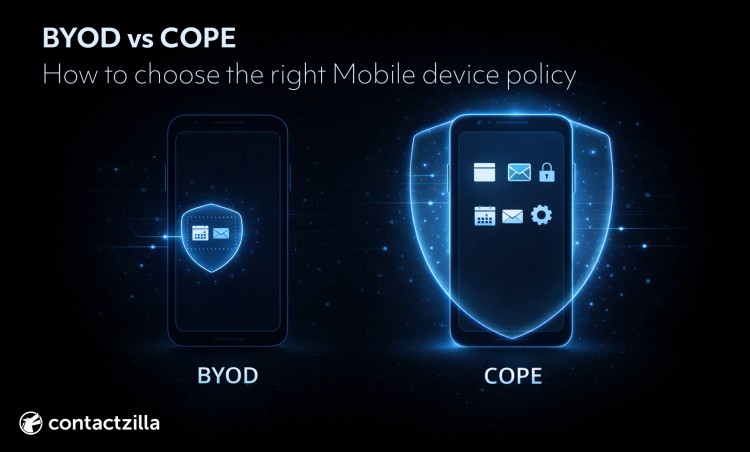
What’s the right way to manage mobile devices for work without upsetting users or weakening security?
BYOD and COPE are two common approaches. Mobile device policy decisions usually come up either when you’re scaling a device program, or when something starts to go wrong. Inconsistent security controls, unclear privacy expectations, rising support effort, or messy offboarding. Some of the top considerations are who owns the device, what IT can enforce, where work data lives, and what happens when a device is lost or someone leaves.
BYOD (Bring Your Own Device) vs COPE (Corporate Owned, Personally Enabled): quick decision guide
If you need to manage the whole phone (updates, restrictions, shared/kiosk use), COPE/COBO (Company-Owned, Business Only) is usually the fit.
If you just need to manage the work side and privacy matters, BYOD can work, but only if work data is kept separate and can be removed without touching personal data.
If you want standard hardware but still want to offer choice, use CYOD (Choose Your Own Device) offering a choice of devices from an approved list.
Most organizations end up hybrid: BYOD for lower-risk office roles, COPE/COBO for higher-risk roles and shared devices for example.
Two questions worth considering up front:
Can you keep work data separate?
Can you remove it cleanly when someone leaves or a phone is lost?
BYOD vs COPE: definitions
BYOD
BYOD means an employee uses their personal phone for work. Because BYOD devices are personally owned, a good BYOD program draws a hard line between work and personal covering company data, corporate resources, and access to the corporate network.
That boundary is usually created by the OS:
- Android: often an Android Enterprise Work Profile, which separates work apps and data from personal apps and data. The organization manages the work profile, while the personal side stays private and unseen by IT.
- iOS/iPadOS: often Apple User Enrolment (including account-driven User Enrolment), which is designed for BYOD and separates work data (typically via managed apps and a separate managed area/volume tied to a Managed Apple Account).
Because work data is contained, offboarding and incident response typically focus on removing managed work data (a selective wipe/retire action) rather than wiping the whole phone.
Tip 💡 Using Android for work? Contactzilla Sync brings a shared company address book into the phone's native Contacts app, and it can be deployed through an MDM.
What BYOD usually does not mean: full control of the entire device, visibility into personal content, or a default right to factory reset the phone. Those limits should be explicit in the policy.
COPE
COPE means the organization owns the phone, but allows limited personal use. Because the device is corporate-owned, IT can usually apply stronger, device-level controls and standardize the fleet (models, OS versions, configurations).
In practice, COPE programs typically include:
- Corporate procurement and asset tracking
- A defined standard build (approved models, baseline configuration)
- Tighter enforcement of security controls (updates, restrictions, app install rules)
- Clearer incident response options if a device is lost, compromised, or needs to be redeployed
- Simpler offboarding because the device can be wiped and reissued
What COPE usually does not mean: IT can see everything by default. Personal use still creates privacy expectations, so COPE policies need clear disclosure about what data is collected and what actions IT can take.
BYOD vs COPE - what’s the difference?
The real difference is how the work part is separated from the personal part and the level of control IT needs over the device to enforce security policies and manage data security.
BYOD is often chosen for cost savings, since the organization isn’t buying and refreshing every device, but those savings only hold if support scope and security boundaries are clearly defined.
In practice, the choice often affects employee satisfaction as much as security. Programs that respect personal boundaries tend to see higher enrollment and fewer workarounds.
With BYOD, separation happens inside the phone. IT manages a work space and leaves the rest of the device alone.
With COPE, separation happens around the phone. The organization owns the device, then allows personal use within agreed limits.
BYOD optimizes for adoption and cost. COPE optimizes for control and consistency.
In day-to-day terms, that usually means:
- IT controls the work space on BYOD. On COPE, IT can control the entire device
- Offboarding on BYOD is typically remove the work container; on COPE it can be a complete wipe and reissue.
- BYOD depends on clear privacy boundaries; COPE depends on clear personal-use boundaries
Quick glossary (BYOD, COPE, COBO, CYOD + key terms)
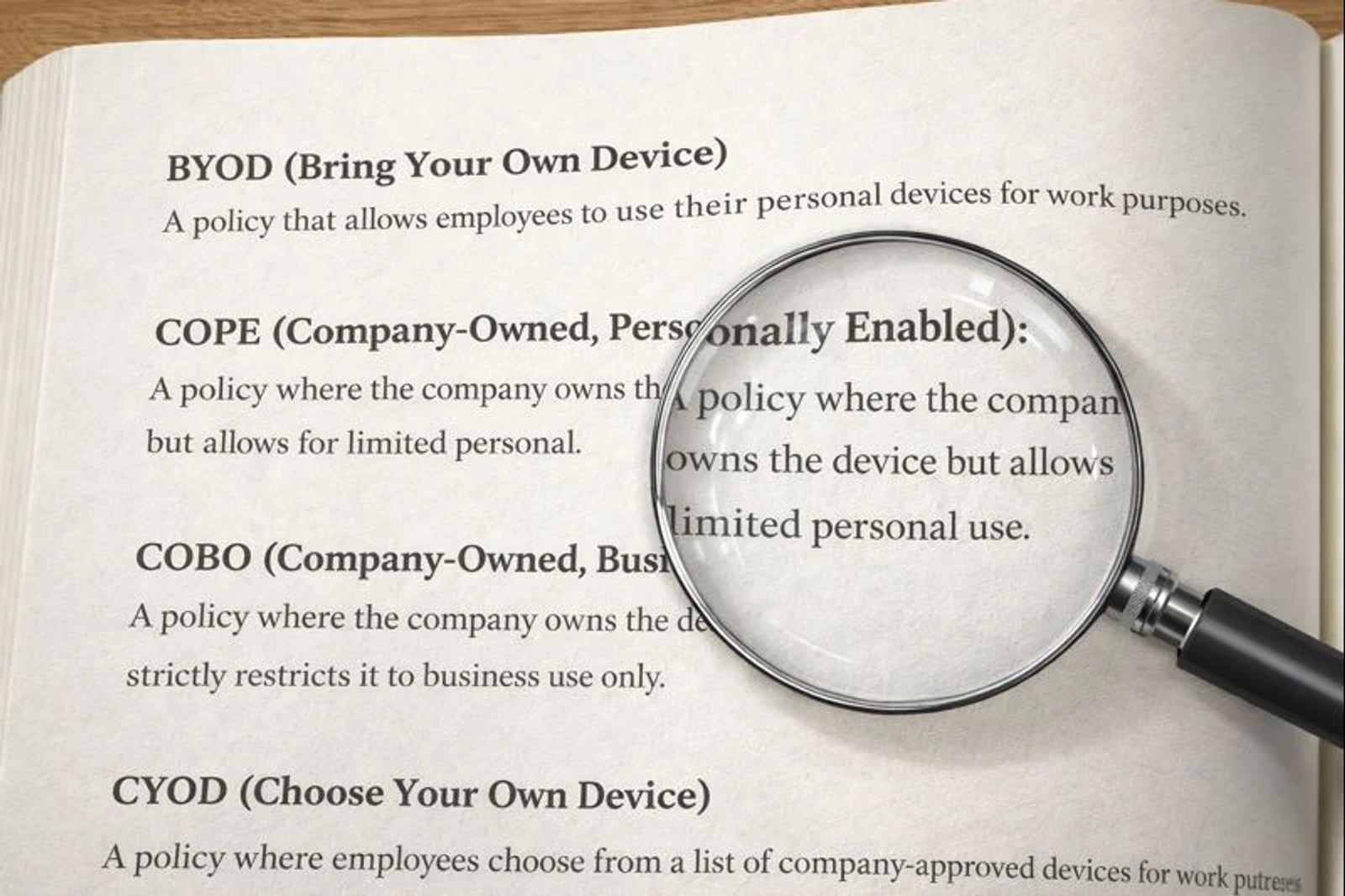
You’ll see a lot of overlapping terms in BYOD/COPE discussions. This glossary pins down what each one means in plain language. (Full BYOD/COPE definitions are covered above.)
Device ownership models
BYOD (Bring Your Own Device)
Employee-owned device used for work.
COPE (Company-Owned, Personally Enabled)
Company-owned device with limited personal use allowed.
COBO (Company-Owned, Business Only)
The organization owns the phone and it’s for work only. Common for regulated roles, shared devices, and frontline use because it reduces privacy disputes and simplifies compliance controls.
CYOD (Choose Your Own Device)
Employees choose from an approved device list (ownership varies by program). Often used to standardize hardware and reduce support load while keeping user choice.
Tip 💡 These labels aren’t used consistently across vendors and organizations. Treat them as common program patterns, not strict standards.
MDM / EMM / UEM
MDM (Mobile Device Management)
Tools and processes to enroll devices, apply configurations/policies (often to groups), check compliance, and run remote actions like lock or wipe. MDM also issues devices their own certificates for Wi-Fi and VPN access, usually as SCEP certificates.
EMM (Enterprise Mobility Management)
An umbrella term for managing mobile devices at scale, typically combining device controls with ways to deploy policies and monitor device state (often alongside app/data controls, depending on the platform).
UEM (Unified Endpoint Management)
A broader category that extends management beyond mobile to cover multiple endpoint types through one console/approach.
Tip 💡 Managing contacts across shared or managed devices? Our guide covers how to deploy and control contact lists at scale using CardDAV and MDM.
Work/personal separation
A setup where corporate apps, accounts, and data live in a managed area, so IT can apply work controls and remove work data without taking over the user’s personal phone.
Android Enterprise Work Profile
A separate “work” profile that keeps work apps and work data separate from personal apps and data. The work profile is controlled by IT; the personal profile remains separate.
Apple User Enrollment (BYOD-focused enrollment)
An enrollment approach designed for BYOD that supports separation between work and personal data. Apple’s account-driven User Enrollment describes separation of work and personal data. Microsoft’s Intune overview also describes work data stored separately (separate volume + managed apps).
Exact controls vary by platform and your MDM/UEM. The key question is whether management is limited to a work space (typical BYOD posture) or can extend across the whole device (more typical COPE/COBO).
Corporate data boundaries
Selective wipe
Removal of managed work data (often company app data) while leaving personal data intact.
Full wipe
A factory reset / erase of the entire device (all personal and organizational data, apps, and configuration).
BYOD vs COPE today: work/personal separation changed what’s possible
A lot of the BYOD debate comes from older assumptions. For a long time, managing a phone for work often meant managing the whole phone, which made privacy and consent hard to square with personal ownership.
That’s changed. Modern platforms support stronger work/personal separation. On Android, this is typically done with an Android Work Profile (sometimes described as ‘containerization’), which keeps work apps and work data separate from personal use. On Apple devices, User Enrollment (introduced with iOS 13 in 2019) was designed specifically for BYOD, with clearer privacy boundaries than full device enrollment.
This doesn’t remove every trade-off, but it’s why BYOD is now a realistic option in more environments than it used to be—especially where adoption and employee trust matter.
BYOD vs COPE comparison matrix
Use the table below to help make an assessment of the best model for your organization. Two choices drive most of the further detail:
- How company data is kept separate from personal data
- What remote actions are acceptable (removing only work data vs erasing the whole device)
Criterion
BYOD (employee-owned)
COPE (company-owned, personal use allowed)
Ownership
Employee owns the phone
Organization owns the phone; personal use is allowed
Cost (hardware)
Organization buys fewer devices
Organization buys and replaces devices (procure, manage, refresh)
Cost (support/IT)
More variation in models and OS versions; support rules need to be tighter
Easier to standardize devices and reduce variation
Security risk
Depends heavily on separation model and enforcement limits; device security is constrained to the work space on BYOD, while COPE typically allows broader device-level controls.
Lower variability; stronger device-level controls are typically possible
Compliance readiness
Can work, but relies on tight scope + controls; some roles may need org-owned devices
Often simpler for regulated roles because controls and evidence are more consistent
Data separation
Strong on Android with Work Profile; on iOS depends on enrollment model and managed app strategy
Separation can still be used, but device policies can also be enforced more broadly
Offboarding
Default should be selective: remove work profile / managed work data
Usually straightforward: wipe and reissue the device when appropriate
Incident response
Remote actions may be limited/less appropriate on a personal phone (depends on enrollment and policy)
Wider set of actions; can be faster and more decisive
Employee experience
Typically easier to adopt with lower perceived intrusion
Can be good if set up well; personal restrictions can frustrate users
Employee privacy
Privacy is preserved by limiting management to work data only
Ownership supports stronger controls, but personal use still creates privacy expectations
How to choose between BYOD and COPE
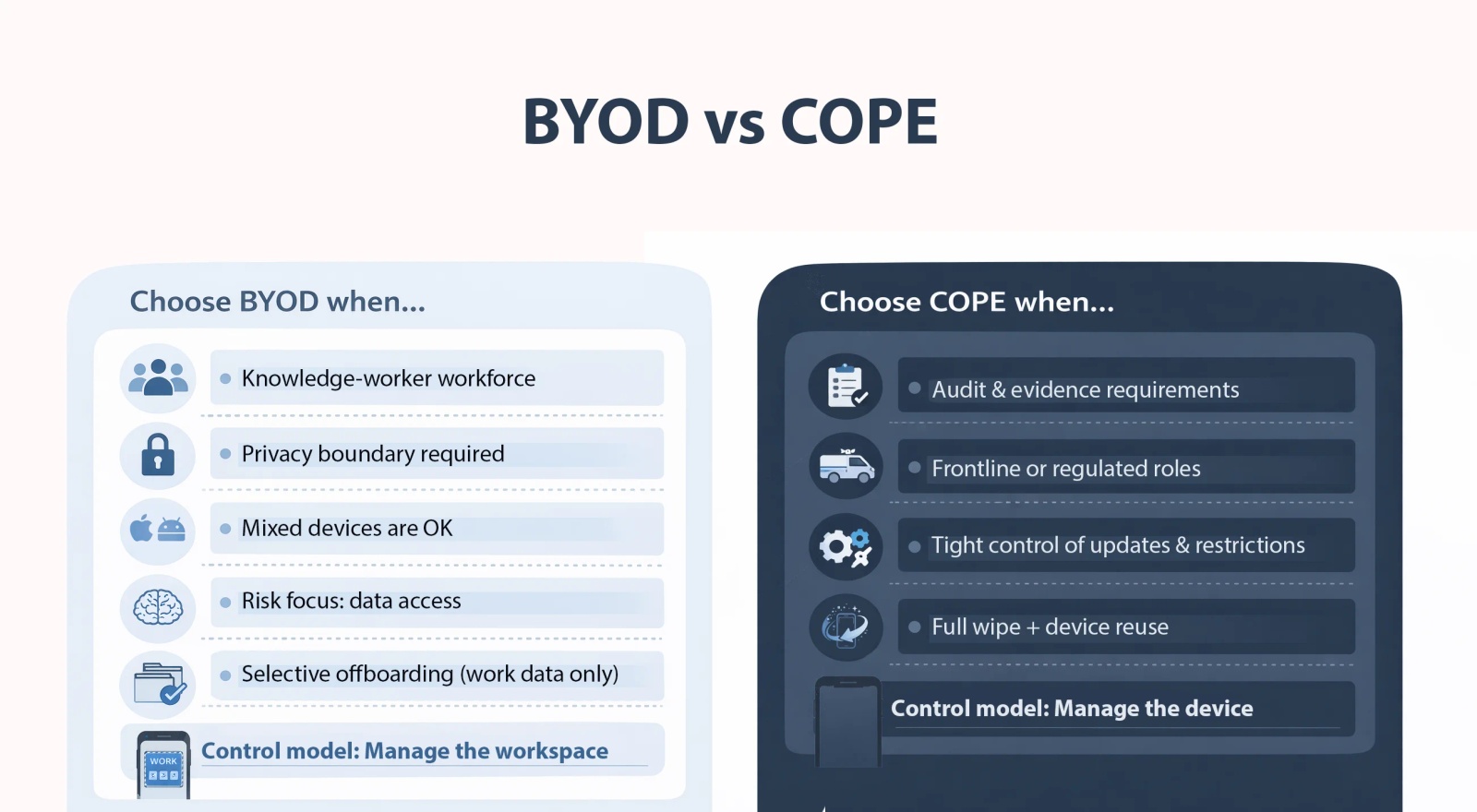
Choose BYOD when:
- You need adoption across a large office workforce.
- Privacy is a major constraint and you want a clear boundary: “we manage work, not your phone.”
- Your main risk is data access, not full device control.
- You need selective offboarding as the default.
- You can tolerate variation in device types, operating systems, and hardware capabilities across the workforce.
Choose COPE when:
- You need predictable controls and consistent evidence for audits.
- You support regulated or frontline roles where “work-only controls” aren’t enough.
- You want tighter control of updates, restrictions, and incident response.
- You want clean offboarding and device reuse.
Many organizations run a hybrid: BYOD for lower-risk office roles, COPE/COBO for higher-risk roles and shared devices.
Tip 💡 Need a shared company contact list on staff phones that aren't enrolled in an MDM? Each person scans a QR code, and you can wipe the list from a phone when someone leaves. How to Put Contactzilla Contacts on Phones Without MDM by Scanning a QR Code shows how.
BYOD readiness checklist
Confirm you can:
- Keep work data separate from personal data (Android Work Profile; on iPhone, a BYOD enrollment mode and/or managed work apps).
- Support only the work side (enrollment, work apps, access).
- Remove work access and work data cleanly when someone leaves.
- Block access from devices that don’t meet basic security requirements (OS version, passcode, etc.).
COPE readiness checklist
Confirm you can:
- Buy and manage the device fleet (procure, replace, recover, reissue).
- Set clear personal-use and privacy rules.
- Keep updates and restrictions consistent across the fleet.
- Wipe and reissue devices quickly after incidents or leavers.
Employee privacy: what IT can and can’t see (BYOD vs COPE)
Employee privacy is usually the make-or-break issue for adoption. The policy needs to state, in plain terms, what IT can see and what IT can do.
Employees tend to worry about the same two outcomes in different ways: on BYOD they worry the company might monitor or wipe personal data, and on COPE they worry the company could track usage because the device is corporate-owned. If you don’t address this directly, people assume the worst.
On BYOD, the clean approach is: IT manages the work side only. That typically means IT can enforce work settings and remove work data, but should not claim visibility into personal content.
On COPE, the organization owns the device, so broader controls are usually acceptable. But once you allow personal use, you still need clear boundaries. Most end users assume monitoring unless you say otherwise.
The practical fix is to be explicit in both policy and technical setup—for example, using separation so you can remove only work data during offboarding, rather than wiping personal data.
Real-world scenarios
1) Regulated organizations (healthcare, public sector, finance)
Potential issues
- Audits, breach reporting, retention rules, and strict access controls.
- The need to show consistent enforcement, not just a written policy.
Common rollout problems
- Exception handling: a few people can’t or won’t enroll, and you end up with unmanaged access.
- Privacy ambiguity: people assume IT can see personal content, so enrollment slows down or becomes political.
- Offboarding gaps: access is removed, but work data isn’t reliably removed from personal devices.
BYOD vs COPE recommendation
- COPE/COBO for higher-risk roles where consistency and evidence matter.
- BYOD for lower-risk roles, but only if separation is real, selective removal is the default, and access is conditional on compliance.2) Field workforce / frontline staff / shared devices.
2) Field workforce / frontline staff / shared devices
Potential issues
- Shared devices and shift handoffs.
- Lost devices, breakages, and fast turnover.
- A need for a small set of apps that always work the same way.
Common rollout problems
- BYOD coverage is uneven. Some staff opt out, some devices don’t enroll cleanly, and you end up with gaps.
- Critical comms/apps get spread across personal phones in inconsistent ways, so reliability drops.
- Role changes and leavers don’t map cleanly to access removal, especially when devices are shared.
BYOD vs COPE recommendation
- COBO (or COPE where personal use is allowed) when you need standard setup, restricted usage, and quick reissue.
- BYOD only where devices aren’t shared and you can keep controls limited to the work side.
3) Remote and hybrid office staff
Potential issues
- High device diversity across iOS/Android and multiple OS versions.
- Higher privacy sensitivity.
- Heavy reliance on email, chat, and collaboration tools.
- Low tolerance for setup friction.
Common rollout problems
- Controls feel intrusive, so enrollment rates drop.
- Policy language is vague, so employees assume IT can see personal content.
- Support scope creeps. IT ends up troubleshooting personal apps, carriers, and storage.
BYOD vs COPE recommendation
- BYOD if you can keep a clear work/personal boundary and keep support scoped to work access and work apps.
- COPE if you provide good devices and keep personal restrictions reasonable.
4) Small org vs enterprise
Small orgs
Potential issues
- Limited IT time and budget.
- Few formal processes for enrollment and offboarding.
Common rollout problems
- No consistent enrollment process.
- Offboarding is manual and incomplete.
- Policies exist but aren’t enforced in practice.
BYOD vs COPE recommendation
- BYOD works best when scope is narrow (work apps + access rules + clean removal of work data).
- COPE can reduce chaos if you standardise devices, but you take on procurement and replacement overhead.
Enterprises
Potential issues
- Scale, multiple business units, regional requirements, audit demands.
- Complex identity and access setup.
Common rollout problems
- Too many exceptions.
- Inconsistent experience across platforms.
- Policy promises don’t match what the tooling can actually enforce.
BYOD vs COPE recommendation
- A hybrid approach: BYOD for lower-risk office roles, COPE/COBO for higher-risk roles, shared devices, and regulated teams.
Reducing employee pushback in BYOD and COPE
- Put the privacy boundary in plain English. One short paragraph is enough.
- Spell out wipe behavior. Say what gets removed, what doesn’t, and when you would ever erase a whole device.
- Set expectations on support. Be clear about what IT will help with on BYOD versus what stays the employee’s responsibility.
- Be careful with wording about visibility. If you can’t explain, simply, what IT can and can’t see, you could lose trust and slow adoption.
Frequently Asked Questions
What’s the difference between BYOD and COPE?
BYOD means employees use their own phone for work, and IT usually manages only the work side. COPE means the organization owns the phone but allows personal use, so IT can apply broader controls and can wipe and reissue the device when needed.
Which is better: BYOD or COPE?
Neither is ‘better’ in general. BYOD fits when privacy and fast adoption matter and you can limit management to work apps and work data. COPE fits when you need consistent device controls, predictable support, and clean offboarding because the organization owns the hardware.
What are the pros and cons of BYOD vs COPE?
BYOD reduces hardware cost and can improve acceptance, but device diversity and limited controls can raise support and risk. COPE costs more upfront, but standard devices and stronger controls simplify compliance, incident response, and offboarding. The trade-off is managing personal use expectations.
How do BYOD and COPE affect security and employee privacy?
BYOD security depends on keeping work data in a managed work space or managed apps and using access rules like passcode and OS version checks. COPE usually allows stricter controls, but privacy still matters once personal use is allowed. Clear ‘what IT can see and wipe’ wording prevents friction.
Can IT wipe my personal phone in a BYOD program?
Most BYOD programs aim for selective wipe: removing work accounts, work apps, and managed work data without touching personal photos, messages, or apps. Full device wipe is typically reserved for company-owned devices or severe incidents with explicit consent. Policy should state what’s possible on your platform.
Can employees use personal apps on a COPE device?
Usually, yes—but only within your rules. COPE means the company owns the phone, then allows personal use. Many organizations restrict certain app types, require a passcode, and enforce updates. The key is to state what personal use is allowed and what monitoring is not happening.
What’s the difference between COPE and COBO?
COPE is company-owned with personal use allowed. COBO is company-owned and business-only, with personal use not permitted. COBO is common for regulated roles, shared devices, and kiosk-style setups because it avoids privacy disputes and allows tight app and device restrictions.
What is CYOD and how does it relate to BYOD and COPE?
CYOD (Choose Your Own Device) means employees pick from an approved device list. Depending on the program, the device may be company-owned (closer to COPE) or employee-owned with approved models (closer to BYOD). The goal is simpler support through standard hardware choices.
Do you need an MDM/UEM tool for BYOD or COPE?
At small scale, you can sometimes rely on app logins and basic access rules. At enterprise scale, BYOD and COPE usually need centralized management to enroll devices, apply policies, and remove work data reliably. Many teams use an MDM/UEM plus identity and app protection controls.
Does BYOD actually save money compared with COPE?
BYOD can reduce device purchase and refresh costs, but savings shrink if support effort rises or security controls are weak. COPE costs more upfront, but standard devices can reduce troubleshooting time, speed onboarding, and lower incident cleanup costs. Total cost depends on your role mix and risk level.
Can a company run BYOD and COPE at the same time?
Yes. Many organizations run a hybrid model: BYOD for lower-risk staff where work-only management is acceptable, and COPE or COBO for higher-risk or shared-device roles. This reduces cost where possible while keeping strict control where it’s required for compliance or operations.
What is Android Work Profile and why does it matter for BYOD?
Android Work Profile creates a separate work area on the phone. Work apps and data live inside that profile, and IT manages only the profile settings. This gives a clear boundary for BYOD: you can remove work data during offboarding without wiping personal apps, photos, or messages.
What is Apple User Enrollment used for?
Apple User Enrollment is a BYOD enrollment method designed for stronger privacy boundaries than full device enrollment. Work data is tied to a managed work account and can be removed without erasing personal content. It’s useful when you need corporate access controls but want minimal personal-device intrusion.